How to Track Keyword Rankings: The Complete System (GSC, GA4, Tools & Templates) in 2026
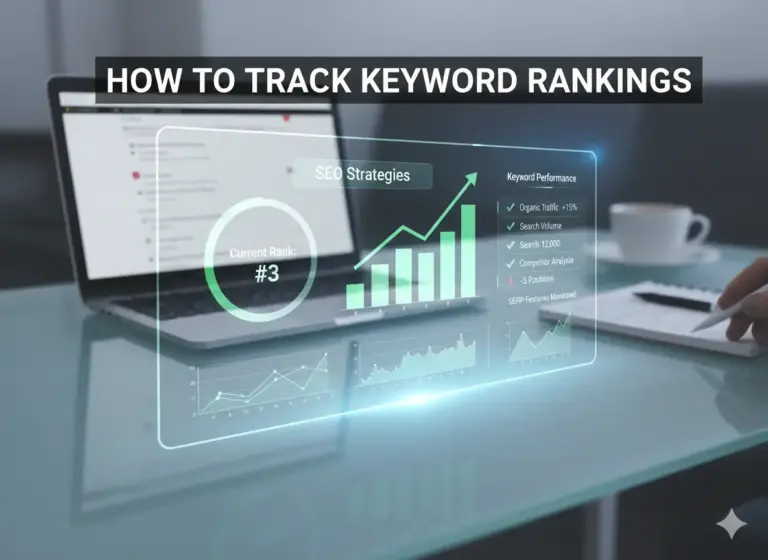
Most people tracking keyword rankings are measuring the wrong thing, at the wrong frequency, with the wrong tool. They are typing queries into Google, reading a personalised result, and calling it data. Then they are checking again tomorrow. And the day after that.
This guide replaces that habit with something that works: a five-layer tracking system connecting position data to traffic, traffic to engagement, and engagement to the business outcome that actually matters. It covers Google Search Console, Google Analytics 4, every major rank tracking tool, local tracking, competitor tracking, historical analysis, and the four decision triggers that tell you precisely when to act and exactly what to do.
By the time you finish reading, you will have a tracking system that produces decisions, not just reports. The entire framework for how to track keyword rankings is here.
Quick Answer: To track keyword rankings: connect your website to Google Search Console and use the Performance report to monitor impressions, clicks, and average position per keyword. Link GSC to Google Analytics 4 to connect ranking data to conversion outcomes. Add a dedicated rank tracking tool (Ahrefs, SEMrush, Moz Pro, or SERPWatcher) for daily updates, historical charts, and competitor monitoring. Focus optimisation effort on four triggers: pages ranking at positions 5–15, high-impression pages with below-average CTR, sustained multi-week position drops, and newly discovered keywords you did not target. Build a tracking spreadsheet with a “Next action” column for every keyword. Review weekly. Analyse monthly. Recalibrate quarterly.
Table of Contents
Why Most People Track Rankings the Wrong Way
Here is the standard method: open Google, type your target keyword, scroll to find your page, note the position. Repeat tomorrow. Repeat the day after.
It feels like diligence. It produces nothing useful.
When you search from your own browser on your own device, Google constructs a result set shaped by your entire search history, your precise geographic location, your device type, your logged-in account, and dozens of personalisation signals accumulated over years. The position you see is your position, in your context, at that exact moment. It has no meaningful relationship to the position an average searcher sees when they type the same query. You are not measuring your rankings. You are measuring your own search behaviour reflecting back at you.
That is the accuracy problem. The second problem causes more damage.
Rankings move one to three positions every single day as a normal output of how Google operates. According to Google’s own documentation on how its ranking systems work, the system evaluates quality through multiple overlapping signals, all of which update continuously. Google processes more than 8.5 billion searches per day. It runs thousands of ranking experiments simultaneously. A page sitting at position 6 on Monday will drift to 4 or 8 by Thursday without anything changing on your site, your competitors’ sites, or Google’s core algorithm. Daily position checking trains you to react to that drift. Every reaction to noise is a content decision made without information.
There is a third problem most guides ignore entirely. Even if your position reading were accurate, “position 1” is no longer fixed real estate. A featured snippet can appear above it. A local 3-pack can push it below the fold. A People Also Ask expansion can absorb clicks before a reader reaches your result. A video carousel can redirect visual attention mid-page. Your position number can be correct while your actual click capture is far lower than that number suggests, because the SERP built around your result has shifted.
Then there is the zero-click reality. Research from SparkToro found that approximately 57% of all Google searches in the US result in zero clicks to any website. The searcher finds their answer in a snippet or a knowledge panel and moves on. For informational queries in particular, a strong ranking delivers impressions, zero traffic, and the appearance of visibility without any of the substance.
The correct approach to how to track keyword rankings is systematic, connected to traffic and conversion data, and evaluated on a schedule that distinguishes signal from noise. Before building that system, the fundamentals of keyword placement across your pages need to be solid. With that foundation in place, this guide builds the tracking layer on top.
What is Keyword Rank Tracking?
Keyword rank tracking is the systematic process of monitoring where specific web pages appear in search engine results pages (SERPs) for defined search queries, measured over time to identify trends, validate optimisations, and direct content decisions.
Every word earns its place. “Systematic” eliminates manual browser checks. “Specific web pages” eliminates site-level vagueness. “Defined search queries” eliminates random spot-checks. “Measured over time” is the phrase that makes everything else work. It separates a data point from a signal.
A snapshot of current position tells you where you are. A sequence of positions across 30, 60, or 90 days tells you where you are going and at what speed. Only the sequence produces actionable insight. The snapshot produces anxiety.
Here is a number that changes how you think about this entire discipline: a large-scale study by Ahrefs found that 90.63% of pages receive zero organic traffic from Google. Zero. Not ranking. Not indexed and invisible. Getting zero clicks, month after month. The difference between that 90.63% and the pages that do earn traffic is almost never about keyword research or tool selection. It is about the discipline of systematic tracking that converts ranking data into specific improvements on specific pages at specific times.
Who This Guide Is For
Four types of people need this system.
Site owners managing their own organic growth. You publish content, you want to know if it is working, and you want a system that does not require you to become a full-time SEO professional to run.
Content marketers responsible for SEO performance. You are measured on organic traffic and need to demonstrate that your content investments are producing ranking movement.
SEO practitioners building client reporting systems. You need accurate data, clean interpretation, and a review cadence that surfaces the right information without overwhelming anyone with noise.
Agency professionals managing keyword portfolios across multiple clients. You need a scalable structure that works as consistently for 10 keywords as it does for 10,000.
The Click Distribution Reality
The relationship between position and traffic is not linear. It is a cliff.
According to Backlinko’s analysis of 4 million Google search results, here is what average organic click-through rates look like by position:
| SERP Position | Avg. CTR: Informational Query | Avg. CTR: Commercial Query |
|---|---|---|
| Position 1 | ~27.6% | ~20% |
| Position 2 | ~15.8% | ~12% |
| Position 3 | ~11% | ~8% |
| Positions 4–5 | ~6–7% | ~5% |
| Positions 6–10 | ~2–3% | ~2% |
| Position 11–20 | Below 1% | Below 1% |
These figures assume a clean organic result with no SERP features above it. Featured snippets, local packs, and PAA boxes reduce CTR for every position below them.
The gap between position 1 and position 10 is not 10x. It is closer to 13x for informational queries. A page moving from position 8 to position 3 for a keyword with 3,000 monthly searches will roughly quadruple its monthly traffic from that keyword alone. That is not an optimistic estimate. It is arithmetic.
Rank Tracking vs. Rank Obsessing
The difference is not the tool. It is the cadence and the intent.
Rank tracking is scheduled, systematic, and connected to a decision framework. You check on a defined day, look for defined signals, and act on defined triggers. Everything else is observation.
Rank obsessing is daily, reactive, and disconnected from business outcomes. It generates anxiety proportional to its frequency and insight in inverse proportion.
A person checking Google Search Console once a week with a clear 15-minute protocol is tracking. A person opening Ahrefs three times a day is obsessing. The cadence is what separates them.
When to Start Tracking
The right time is the day you publish new content. GSC begins collecting data from the first day Google indexes a page, and that history is not retroactive. Every day your site operates without GSC verified is a day of data permanently gone.
The second right time is before making any optimisation changes to an existing page. Without a pre-change position baseline, you cannot measure whether the change worked.
What Keyword Rankings Actually Tell You (And What They Don’t)
Knowing what a metric measures is half the work. Knowing what it does not measure is where most SEO mistakes begin.
Before getting to the how-to, there is one claim that needs to be stated plainly: average position is the most commonly reported SEO metric and among the least informative ones. It drops when you add new, low-ranking keywords to your portfolio. It improves when high-volume tracked keywords happen to rank well on the day GSC calculates. It tells you almost nothing about trend direction for any specific page, and it should never appear in an executive report. What should appear instead is covered in Section 14. For now, the point is simply this: average position is a comfort metric, not a decision metric.
What Rankings Tell You
Contention status. A page ranking in positions 1 through 10 is in active contention for that keyword’s traffic. Positions 11 through 20 receive below 1% of clicks for most queries. Anything beyond position 20 is functionally invisible. Knowing which category your pages fall into tells you where to focus and where to wait.
Whether your optimisation efforts worked. When you update a title tag, expand a thin section, earn a new backlink, or restructure a content outline, you expect a position improvement. Tracking position before and after those changes, with at least three weeks between the change and the evaluation, tells you whether the intervention worked, by how much, and whether the improvement held.
Where your best opportunities are. Pages ranking in positions 5 through 15 are the most actionable targets in any keyword portfolio. They have already cleared Google’s relevance threshold. They have demonstrated topical fit. What they need now is to demonstrate superiority over the pages currently ranked above them. That is a refinement problem, not a start-over problem.
Competitive signals. When a competitor gains five or more positions on a keyword you track, they made a move: a content update, a backlink acquisition, a structural improvement. When they drop, they have exposed a vulnerability. Tracking competitor positions alongside your own converts rank monitoring from a backward-looking report into a forward-looking intelligence function.
Topical authority compounding. The count of your site’s pages ranking in the top 10 across your full tracked keyword set is the one portfolio metric that accurately reflects whether your content strategy is working. Growing this count indicates that individual keyword wins are reinforcing each other. According to Ahrefs, the average page ranking in position 1 is over two years old. That age is not coincidence. It is what compounding authority looks like in practice.
Share of voice (SOV). Your estimated percentage of total available clicks across a target keyword set. If 10 tracked keywords collectively attract 8,000 clicks per month and your pages capture 960 of them, your SOV is 12%. SOV is the single most informative metric for understanding market-level search visibility. It absorbs individual keyword noise in a way that average position cannot. It belongs in executive reporting. Average position does not.
What Rankings Do Not Tell You
Whether the page is making money. A position 1 ranking for a keyword whose searchers are not your buyers is a traffic metric pretending to be a business metric. Search intent determines commercial relevance; position determines only visibility within that intent. A page ranking first for an informational query adjacent to your product can generate 4,000 monthly sessions and zero conversions. The metric looks excellent. The business impact is neutral.
Whether users are satisfied. Rankings reflect Google’s current prediction of user satisfaction based on historical behavioural signals. How long people stay, whether they return to the search results immediately, how deeply they engage with the content: these signals update Google’s prediction continuously. A page can rank well today on accumulated authority and begin sliding in three months as negative behavioural signals accumulate. The ranking is a lagging indicator of satisfaction, not a leading one.
Why a position changed. This is the most costly misread in keyword tracking. Position changes have four distinct causes: algorithm updates, competitor actions, your own content changes, and backlink profile changes. Each requires a different response. Treating an algorithm-driven drop as a content quality problem produces unnecessary rewrites. Treating competitive displacement as temporary fluctuation produces missed optimisation windows. The position number alone cannot distinguish these causes. Only investigation does.
Your mobile position. Google indexes mobile-first. Desktop and mobile ranking positions diverge significantly when Core Web Vitals fail on mobile, layout breaks on smaller viewports, or page speed is substantially worse on mobile than desktop. Checking aggregate position masks this divergence. GSC’s device filter exposes it.
Whether a SERP feature is suppressing your CTR. Your position can stay constant while clicks quietly decline because a featured snippet or local 3-pack now appears above your result. Position data without CTR data creates a false sense of stability.
Rankings are a leading indicator of traffic. Traffic is a leading indicator of conversion opportunity. They are one layer of a multi-layer measurement system. Treating them as the only layer is how companies make expensive content decisions based on incomplete information.
How to Track Keyword Rankings with Google Search Console (Free)
Google Search Console is the correct starting point for every site, at every stage of SEO maturity. It is free, it connects directly to Google’s own data, and it stores up to 16 months of keyword performance history. No third-party tool can replicate its accuracy because no third-party tool has direct access to Google’s index. Third-party rank trackers estimate positions by crawling SERPs on your behalf. That is an approximation. GSC is the source.
If your site is not verified in Search Console, stop here and do it now. Every day unverified is a day of data permanently gone.
Setting Up Google Search Console
Step 1. Go to search.google.com/search-console and sign in with your Google account.
Step 2. Click “Add property.” Choose the “URL prefix” option for most sites. Enter your site’s exact URL including the protocol (https://). If your site has significant traffic across both HTTPS and HTTP variants, or both www and non-www versions, a Domain property may be preferable. URL prefix is correct for the vast majority of sites.
Step 3. Verify ownership. The HTML tag method works universally: Google provides a snippet to add to your site’s <head> section. WordPress users can add it through Yoast SEO’s Webmaster Tools panel or RankMath’s Search Console field without touching code. Wix, Squarespace, and Shopify all have dedicated Search Console verification fields in their SEO settings.
Step 4. Submit your sitemap. In the left sidebar: Sitemaps, paste your sitemap URL (typically yourdomain.com/sitemap.xml or yourdomain.com/sitemap_index.xml), click Submit.
Step 5. Wait 24 to 72 hours. GSC begins collecting performance data from the day of verification. No historical data exists prior to that date.
One note worth stating directly: GSC data comes from Google’s own index. It is not estimated, sampled, or modelled. When GSC and a third-party rank tracker disagree on a position, GSC is correct.
Understanding the Performance Report
Navigate to the Performance report in the left sidebar. This is where all keyword data lives. All four core metrics require precise understanding because common misreadings produce bad decisions.
Impressions count how many times your page appeared in search results for a given query. An impression is counted even if the user never scrolled far enough to see your result. Google counts any result rendered in the SERP response, whether or not it was visually viewed. This is why impression counts can be higher than intuition suggests for pages ranking below position 10.
Clicks count how many times a user actually visited your page from that search result. This is the only metric that represents real traffic. Impressions without clicks are visibility without engagement.
Average CTR is clicks divided by impressions. Its primary use is diagnostic. Low CTR relative to your position signals a title tag or meta description problem: your ranking earned the impression, your copy failed to earn the click. Before rewriting anything, verify that a SERP feature above your result is not the actual cause. A featured snippet you do not own suppresses your CTR regardless of how well your title tag is written. Distinguish these two causes before acting.
Average Position is your typical ranking averaged across all positions you held during the selected date range. A reported position of 4.3 means your page appeared at 3 on some days, 5 on others, 4 on most. A change from 4.0 to 4.8 is well within normal daily variance and signals nothing. A sustained movement from 4.0 to 7.5 over four weeks signals something worth investigating.
The Three Filters That Make GSC Actionable
Filter by Page. Click any URL in the Pages tab to see every query driving impressions to that specific page, including queries you never targeted. These unexpected rankings are often the most valuable optimisation opportunities available because Google already validated the topical connection.
Filter by Query. Search for a specific keyword in the Queries tab to see its full impression, click, CTR, and position history across the selected date range. This is how you monitor a single target keyword’s trend over time.
Date Range Comparison. Click the date selector and choose “Compare.” Set the current 28-day period against the previous 28-day period. Both periods are visible simultaneously, allowing you to distinguish a ranking drop from a CTR drop from a search volume shift.
How to Discover Keywords You Did Not Target
One of the most underused capabilities in GSC is the discovery of accidental rankings: queries where your page is appearing in results despite never being optimised for them. These are free signals of topical relevance that Google granted without being asked. They represent the lowest-hanging keyword opportunities available to any site, because Google has already validated the connection.
The workflow: Pages tab, click one of your top-traffic pages, switch to the Queries tab, sort by Impressions, scan for queries with positions between 10 and 30 that are relevant to your business.
Evaluate discovered keywords against three criteria: search volume and trend direction, intent match (does the query describe something the page actually delivers?), and business relevance (would the ranking traffic include potential buyers?).
A keyword that passes all three becomes an active optimisation target. A keyword with volume but a different intent becomes the seed for new dedicated content. For a systematic methodology for evaluating discovered keywords, the keyword research for beginners guide covers that decision framework in full.
The Weekly GSC Tracking Workflow (15 Minutes)
This workflow, run consistently once per week, produces more actionable keyword insight than most sites accumulate in a month.
- Open Performance, set the date range to the last 28 days
- Click the Pages tab, sort by Impressions, identify your highest-visibility pages
- For each top page, click through to the Queries view, scan for keywords at positions 5–15 (your highest-opportunity window)
- Flag any keywords with more than 50 impressions and a CTR below 3% (title tag or meta description problem)
- Compare to the previous 28-day period, flag any keywords that dropped more than 5 positions (requires investigation, not immediate action)
- Record all findings in your tracking spreadsheet (Section 11)
Without a written record, trends are invisible. A single weekly data point is noise. Twelve consecutive weekly data points reveal a direction.
How to Track Keyword Ranking History
This is the most important section in this guide. It is also the section least covered by competing content on this topic, which is why “keyword ranking history” generates tens of thousands of searches every month that go mostly unanswered.
A single position reading is context-free. It cannot tell you whether you are rising, falling, or stable. It cannot tell you whether a drop is noise or a signal. It cannot tell you whether your last optimisation produced lasting improvement or a one-week bump. Keyword ranking history converts isolated position readings into patterns, and patterns into diagnosis.
Most people who use GSC never change the default 3-month date range. That single habit leaves 13 months of data untouched, making them substantially less capable of interpreting their own site than they could be for free, today, in five minutes.
The 16-Month GSC Window: The Most Valuable Free Asset Most Sites Have Never Opened
GSC retains up to 16 months of position, impression, click, and CTR data. The default view shows 3 months. Every site owner making SEO decisions from the 3-month view is working from roughly 19% of the data Google is willing to give them at no cost.
To access the full window: Performance report, date range selector, “Custom,” set the start date to 16 months ago.
What this unlocks:
Seasonal patterns. A page that appears to be declining over the past 60 days may simply be entering the low-traffic month of its annual cycle. 16 months of data shows last year’s equivalent period. If traffic dropped at the same point last year and recovered by March, this year’s decline is not an SEO problem. It is a calendar.
True long-term trend direction. A page can show a weak upward trend over 90 days while showing a clear downward trend over 16 months. The 90-day trend is noise superimposed on the signal. The 16-month trend is the signal.
Pre-update baselines. Google typically announces confirmed core updates, but many significant ranking changes happen from unnamed updates and algorithm experiments. The 16-month view lets you identify your pre-update baseline and measure whether you recovered fully, partially, or not at all after an update period ended.
The Six Historical Ranking Signatures and Their Diagnosis
Every keyword ranking history fits one of six visual patterns. Identifying the pattern correctly determines the correct response. Misidentifying it produces interventions that make things worse.
Pattern 1: The Gradual Slope Down
Visual signature: steady decline of 1–3 positions per month over 3–6 months, no single sharp drop.
What it means: your content is not keeping pace with improving competition. Competitors are publishing more comprehensive pages, earning links, and updating their content while yours stays static.
The correct response: a comprehensive content refresh. Add depth on the sub-topics competitors now cover that you do not. Update all data points and statistics. Earn at least two to three new contextually relevant links. Do not rewrite from scratch. Rebuild on the existing foundation.
Pattern 2: The Sharp Drop with Full Recovery
Visual signature: position drops 5–15 places on a specific date, recovers to within 2 positions of the pre-drop level within 7–14 days.
What it means: Google ran an algorithm experiment that temporarily tested an alternative result set for this query. The experiment concluded and your page was reinstated. This is one of the most common patterns in rank tracking data and one of the most misunderstood.
The correct response: nothing. Any content change made during the dip period is a change made in response to a temporary experiment that had already ended by the time the change was implemented. It produces noise, not improvement.
Pattern 3: The Cliff Edge
Visual signature: sudden drop of 10+ positions on a specific date with no recovery in the following 4–6 weeks.
What it means: either a confirmed algorithm update impacted your page specifically, a strong competitor published or significantly improved content for the same query, or a manual action was applied to your domain.
The correct response: run the four-step investigation from Section 12 (Trigger 3) before touching the page. Acting without diagnosis on a cliff-edge drop is the most expensive mistake in SEO. Rewriting content in response to a manual action, for example, produces no improvement because the issue is not content quality.
Pattern 4: The Plateau
Visual signature: slow climb over 3–4 months followed by a flat line for 60+ days, typically at a position in the 8–15 range.
What it means: your content has enough quality and relevance to compete, but insufficient authority to break into the top 5. The ceiling is almost always link-based. Pages ranking above a plateau typically have substantially more authoritative backlinks pointing to them.
The correct response: targeted link acquisition to that specific page. A link audit of the top 3 ranking competitors using Ahrefs will show you the specific referring domains they have that you lack. Pursue a subset of those sources.
Pattern 5: The Sawtooth
Visual signature: position oscillates between two values (e.g., alternating between position 4 and position 9) across multiple weeks.
What it means: two pages on your site are competing for the same query. Google alternates its ranking signal between them. This is keyword cannibalization. It is one of the most reliably detectable problems in ranking history data precisely because the oscillation is too regular to be random algorithm variation.
The correct response: identify the two competing pages in GSC’s Pages tab, sorted by impressions for the target query. Consolidate the weaker page into the stronger one via redirect, or differentiate their target keywords clearly enough that Google stops treating them as alternatives to each other.
Pattern 6: The Ghost
Visual signature: page appears in rankings for a keyword, then disappears entirely, then reappears, with no pattern to the appearance and disappearance.
What it means: your page is borderline on Google’s quality threshold for this query. Google is genuinely uncertain whether to include it. Ghost patterns appear most commonly on thin pages, pages with duplicate content issues, and pages whose content has drifted from the keyword intent they were originally built to serve.
The correct response: a substantive content quality audit. The page needs to either clearly demonstrate that it satisfies the query better than it currently does, or be consolidated into a stronger page that does.
Pulling Historical Position Data: Tool by Tool
Google Search Console (averaged, up to 16 months):
Best for: seasonal pattern identification, long-term trend direction, pre/post algorithm comparison. The limitation is that positions are averaged over the selected period rather than shown as daily readings. A sudden drop on a specific date is not identifiable from GSC alone.
Step-by-step date comparison for post-optimisation assessment:
- Performance report, date range selector, “Compare,” “Custom”
- Period 1: the 28 days immediately following your content update
- Period 2: the 28 days immediately before your content update
- Sort the Queries table by “Position Change”
- The keywords showing the largest positive changes are where the optimisation succeeded; the keywords showing negative changes may indicate unintended consequences
Ahrefs Rank Tracker (daily, from account start date):
Best for: identifying the exact date a drop began, overlaying algorithm update dates, velocity analysis. Navigate to Rank Tracker, select any tracked keyword, open the Position History chart. The Events overlay is the feature most Ahrefs users ignore and most need: it annotates confirmed algorithm updates directly on the position timeline, converting what would be a pattern-matching exercise into an immediate visual correlation.
SEMrush Position Tracking (daily, from project start date):
Best for: portfolio-level historical analysis, side-by-side competitor position history, volatility correlation. Navigate to Position Tracking, Landscape tab, “Historical data,” filter by keyword. The export to CSV is how you build a multi-keyword historical analysis in a spreadsheet, which is more legible for portfolios above 20 keywords than any in-tool chart.
Overlaying Algorithm Updates: The Correct Method
Never cross-reference algorithm update timing from memory. Use primary sources.
The Google Search Status Dashboard logs confirmed, officially acknowledged updates. This is the only source that should be used for confirmed update dates.
For broader volatility signals (unnamed updates, experiments, infrastructure changes that affect rankings without official announcement), cross-reference with SEMrush Sensor (industry-level daily volatility index) or Mozcast (daily SERP turbulence score). High volatility on these tools coinciding with your position drop shifts the probable cause toward an algorithm experiment rather than a page-specific issue. Low volatility on the same date means the drop is almost certainly page-specific.
The correct diagnosis workflow when a cliff-edge drop occurs:
- Note the first date of the drop from your rank tracker’s daily chart
- Check the Google Search Status Dashboard for any update announced within 7 days of that date
- Check SEMrush Sensor for your industry on that date
- If both tools show high volatility: likely algorithmic, follow the wait-and-monitor protocol
- If neither tool shows high volatility: page-specific issue, begin the four-step investigation in Section 12
Position Velocity: The Metric Most Rank Trackers Don’t Show You
Position velocity is the rate of change of your ranking over a defined period, not the position itself. It answers the question that position data cannot: is this page accelerating, decelerating, or stalled?
Calculate it manually: take the position change over the last 60 days divided by 60. A page moving from position 22 to position 14 over 60 days has a velocity of minus 0.13 positions per day (negative means improving, since lower numbers are better positions). A page moving from position 6 to position 8 over the same period has a velocity of plus 0.03, meaning it is slowly declining.
Velocity is more actionable than current position for two specific decisions:
First, identifying pages that are about to enter the positions 5–15 opportunity window. A page currently at position 18 with strong positive velocity (declining position number) is likely to become a priority target within 30–60 days. Track it now, build the optimisation plan now, execute it the moment it enters the window.
Second, identifying pages that have plateaued and need link acquisition rather than content work. A page with zero velocity over 90 days at position 9 is not responding to content refinement. The ceiling is authority-based. Content work will not move it. Links will.
The Seasonal Pattern Trap
Seasonal fluctuations are the most common misdiagnosis in keyword tracking history. A content team sees traffic declining in November, assumes content quality has degraded, rewrites their top pages, sees traffic recover in March, and attributes the recovery to the rewrite. The recovery was the annual spring seasonal cycle. The rewrite was unnecessary work.
Before diagnosing any gradual decline as a content quality problem, overlay the same time window from the previous year. GSC’s 16-month window makes this comparison possible for any page that was tracked a year ago. If the pattern from last year shows the same seasonal shape, the explanation is the calendar, not the content.
How to Track Keyword Rankings in Google Analytics 4 (GA4)
GSC shows you where you rank. GA4 shows you what those ranked visitors do after they arrive.
Without connecting the two, you cannot answer the question that determines whether your SEO programme has business value: which keyword rankings are producing conversions? This section is for anyone who cares about outcomes, not just positions. If you have GSC set up but have never connected it to GA4, the measurement gap you have is significant.
Why GA4 Cannot Show Keyword Data on Its Own
Since 2013, Google has encrypted the referral keyword data that used to pass from Google Search into analytics platforms. GA4 shows organic sessions but hides the queries that drove them, labelled as “not provided.” The GSC integration bridges this gap by matching keyword data to session data at the landing page level.
It is not a perfect join. Privacy thresholds mean some data is unavailable. But it provides a workable picture of keyword-to-behaviour connections that neither tool produces independently.
How to Link Google Search Console with GA4
- In GA4: Admin (gear icon, bottom left), Property Settings, Property, Search Console Links
- Click “Link,” select your GSC property from the dropdown
- Choose the correct Web Data Stream, review settings, confirm
- Allow 24–48 hours for data to populate
Once connected, a Search Console section appears under Reports, Acquisition in GA4.
What the Integration Shows
The Queries report (Reports, Acquisition, Search Console, Queries): keywords driving sessions alongside clicks, impressions, CTR, and average position. Same data as GSC’s Performance report, accessible within GA4’s interface and cross-referenceable with GA4’s engagement metrics.
The Google Organic Search Traffic report (Reports, Acquisition, Search Console, Google Organic Search Traffic): organic sessions broken down by landing page. This is where the real value lives. It allows GA4’s engagement and conversion metrics to be layered directly on top of landing page data.
The Conversion Connection Workflow
This is the highest-value workflow in this section and the one most consistently ignored in standard SEO practice.
- In GA4: Explore, create a new Free Form exploration
- Dimensions: “Landing page + query string” and “First user source/medium”
- Metrics: Sessions, Conversions, and Revenue (or your primary key event)
- Filter: First user source = “google” and medium = “organic”
- Result: a table showing which organic landing pages are producing conversions
Map this data back to your tracking spreadsheet using the page URL as the shared key. The result is a spreadsheet with a monthly conversions column alongside position data. That single addition converts a ranking report into a business performance tool.
Reading the Combined GSC + GA4 Picture
High position + high CTR + high traffic + low conversions: the keyword is delivering traffic, the page is failing to convert. This is a conversion problem. Improving your position further will not solve it.
High conversion rate + declining position: this keyword is directly tied to revenue. A position drop here is a business emergency, not a routine SEO note.
High impressions + near-zero conversions over three months: the keyword drives traffic from an audience that is not your buyer. Consider whether it belongs in your active tracking portfolio. Rankings that produce no business outcome consume optimisation resources that could be directed at rankings that do.
How to Track Keyword Rankings with Rank Tracking Tools
Google Search Console is the foundation. Dedicated rank tracking tools are the amplifier. Add one when you need daily position updates, competitor monitoring, or a keyword portfolio exceeding 50 keywords.
| Capability | Google Search Console | Dedicated Rank Tracker |
|---|---|---|
| Data source | Direct Google data | SERP crawl (estimated) |
| Update frequency | 1–2 day delay, averaged | Daily |
| Daily position chart | No | Yes |
| Competitor tracking | No | Yes |
| Location-specific tracking | Limited | Yes (city/zip level) |
| Mobile vs. desktop split | Yes (device filter) | Yes |
| Historical export | 16 months (averaged) | From account start date (daily) |
| Keyword difficulty score | No | Yes |
| Share of voice | No | Yes |
| SERP feature tracking | Partial | Yes |
| Automated alerts | No | Yes |
| Price | Free | $12–$500+/month |
Start with GSC. Add a tracker when the gaps in that table are creating real gaps in your decision-making.
How to Track Keyword Rankings in Ahrefs
Ahrefs Rank Tracker is among the most accurate daily tracking tools available, with strong integration between position data and the backlink data that explains why positions change.
Setup:
- Ahrefs, Rank Tracker, “New project,” enter your domain
- Add keywords: paste from a spreadsheet, import from Ahrefs Keyword Explorer, or import from CSV
- Set target location and device (add both desktop and mobile)
- Add competitor domains (up to 10 on most plans)
- Configure email digests: weekly default; daily only when actively optimising a specific page
Reading the dashboard:
The Visibility score is Ahrefs’ portfolio-level metric: an estimate of the percentage of total available clicks in your tracked keyword set that your pages currently capture. It weights by search volume, so it absorbs individual keyword noise more effectively than average position. A rising visibility score during a week when three individual keywords dropped slightly is a net-positive signal.
The Rankings Distribution shows the percentage of tracked keywords in each position band (top 3, 4–10, 11–20, 21–50, 51–100). Track this distribution monthly. A growing percentage in the top 3 and top 10 bands is the most direct indicator of SEO programme health available, and it is immune to the distortions that appear in average position.
The SERP Features column shows which tracked keywords trigger featured snippets, PAA boxes, or shopping results. Use this when a keyword shows a healthy position but lower-than-expected CTR.
Capabilities worth using:
The Position History chart with Events overlay annotates algorithm update dates directly on the position timeline. This single feature changes how quickly you can diagnose drops.
The Content Gap tool (Competitive Research) identifies keywords your competitors rank for in the top 20 that you rank for at 20+ or not at all. This is the most efficient systematic keyword discovery method available.
How to Track Keyword Rankings in SEMrush
SEMrush Position Tracking is the most widely used rank tracking tool in agencies, primarily because it combines position data with a strong reporting layer and side-by-side competitor comparison.
Setup:
- SEMrush, Position Tracking, “Set up tracking”
- Enter your domain, configure target location (country, state, city, or zip code), device type, search engine
- Add keywords manually, from Keyword Magic Tool, or from CSV
- Add competitor domains (up to 20 depending on plan)
- Configure scheduled email reports: weekly default
Reading the dashboard:
The Visibility trend graph is the most important single chart in SEMrush’s interface. It plots your portfolio-level visibility score daily. A declining visibility trend sustained over six or more weeks signals that the portfolio needs attention. It is more legible and harder to misinterpret than any collection of individual keyword charts.
The Rankings Distribution shows the percentage of tracked keywords in each position band week over week. Growing the proportion in the top 10 is the operational goal of most SEO programmes.
SEMrush Sensor is the daily SERP volatility index by industry. When a keyword drops, cross-reference the date against Sensor. High volatility on that date suggests a broad algorithm movement. Low volatility suggests the drop is page-specific.
Position change alerts allow email or Slack notifications when any tracked keyword moves beyond a defined threshold. Set 5 positions as your starting threshold.
How to Track Keywords in Moz Pro
Moz Pro Campaign is the right choice when page-level authority data alongside ranking data changes how you prioritise work. Knowing that a page ranking at position 5 has a Page Authority of 22 in a space where competitors average PA of 40+ tells you the ranking is fragile and authority investment is the priority, not content refinement.
Practical limitation: Moz updates positions weekly, not daily. For fast feedback on optimisation changes, this matters.
On-Page Grader (within Campaign) runs a page-level optimisation analysis for any tracked keyword, identifying specific on-page gaps relative to the top-ranking competitors for that query.
Other Tools: SERPWatcher, Ubersuggest, Wincher, Serpstat
SERPWatcher by Mangools is clean, focused rank tracking without platform overhead. The Dominance Index (DI) is a single aggregate score combining positions and search volumes. A rising DI with stable individual positions means you are gaining tracking for higher-volume queries. Daily updates. No competitor intelligence module.
Ubersuggest offers affordable entry-level tracking at around $12/month on paid plans. The 25-keyword limit on the lowest paid plan makes it unsuitable for content programmes with more than a handful of active targets.
Wincher has the cleanest reporting interface in the mid-market. White-label reporting for agencies is best in class at its price point. Tracking-only tool: no backlink data, no keyword research module.
Serpstat is a full-suite platform (rank tracking, site audit, competitor research, backlink analysis) below Ahrefs and SEMrush pricing. The keyword clustering feature, which groups tracked keywords by semantic similarity, is the most useful tool-specific capability for building topical content maps alongside rank data.
| Tool | Best for | Entry price | Update frequency | Competitor tracking |
|---|---|---|---|---|
| Google Search Console | Everyone (free baseline) | Free | 1–2 day delay | No |
| Ahrefs | Accuracy + backlink integration | ~$129/mo | Daily | Yes |
| SEMrush | Full-suite + reporting | ~$140/mo | Daily | Yes |
| Moz Pro | Authority-aware tracking | ~$99/mo | Weekly | Yes |
| SERPWatcher | Clean UX, focused tracking | ~$29/mo | Daily | Limited |
| Ubersuggest | Solo sites, tight budget | ~$12/mo | Daily (paid) | Limited |
| Wincher | Agency white-label reporting | ~$39/mo | Daily | Yes |
| Serpstat | Full-suite, lower cost | ~$59/mo | Daily | Yes |
How to Track Local Keyword Rankings
If your business serves customers in a specific city, region, or geographic area, the standard rank tracking setup is producing data that is partially wrong for your situation. Making content decisions based on it will consistently misallocate your optimisation effort.
The reason is structural. Two separate ranking systems operate for queries with local intent, and they require separate tracking setups.
Why Local Tracking Is Structurally Different
Standard organic rankings are the 10 blue-link results below any local SERP features. These are tracked by standard rank trackers (Ahrefs, SEMrush) when configured with a city-level location.
Google Business Profile (GBP) local pack rankings are the 3-listing map pack appearing at the top of most local intent SERPs. Standard rank trackers do not track these. Your local pack position, which drives more clicks than the organic results below it for high-intent local queries, is invisible to Ahrefs and SEMrush unless you add a dedicated local tracking tool.
A business doing local SEO without dedicated local tools is monitoring the less important of the two ranking systems while the one that matters most goes entirely unmeasured.
Setting Up Location-Specific Organic Tracking
In Ahrefs Rank Tracker: Project Settings, Locations, Add Location, search for your target city or postal code. Ahrefs simulates a search from that location.
In SEMrush Position Tracking: configure the target location at project creation (or in Settings, Targeting), specify city, state, or postal code level.
One non-negotiable rule: always configure both desktop and mobile tracking from the start. More than 60% of local intent searches happen on mobile. Mobile and desktop local pack compositions frequently differ. Desktop-only tracking misses the majority of the searches that produce calls and visits.
Tracking Google Business Profile and Local Pack Rankings
GBP Insights (built into Google Business Profile) shows search queries driving views and calls from your listing. Free and worth checking monthly. Its limitation: it does not show your local pack position relative to competitors.
BrightLocal is the dedicated local rank tracking tool for most local SEO work. It tracks both local pack position and organic position for location-specific keywords from any configured geographic point, producing readings that accurately represent what someone in that city actually sees. It handles multi-location businesses and produces client-ready reports.
Whitespark Local Rank Tracker is a strong alternative, with particular strength for multi-location businesses and franchises. Its citation finder makes it the better choice when NAP consistency (Name, Address, Phone) across local directories is also part of the optimisation programme.
Understanding “Near Me” Queries in GSC
GSC surfaces “near me” variants of your target keywords as separate queries. These behave differently from explicit location-modifier queries (“accountant Manchester”) because they are triggered by device location rather than explicit location text.
Track near-me queries separately in your spreadsheet. The ranking signal for these queries is almost always the local pack position, not organic position. A drop in near-me impressions should trigger a review of your GBP standing (review count, category alignment, proximity signals), not your organic page content.
Three Local Tracking Mistakes
Using a VPN to manually check local rankings: inaccurate and inconsistent. Tool-based approaches are more reliable.
Tracking national rankings for keywords with local intent: your position for “plumber” nationally is irrelevant. Your local pack position for “plumber [your city]” determines whether your phone rings.
Ignoring mobile tracking: more than 60% of local intent searches happen on mobile. Desktop-only tracking misses the majority of the searches that matter.
How to Track Competitor Keyword Rankings
Every position you hold is a position a competitor does not have. Every position a competitor holds is a conversion opportunity you are not capturing. Tracking competitor rankings converts your keyword monitoring from a backward-looking report into a forward-looking intelligence function.
Setting Up Competitor Tracking
In Ahrefs Rank Tracker: Competitors tab, Add competitors by domain. Ahrefs automatically tracks each competitor for every keyword in your project and shows their positions alongside yours.
In SEMrush Position Tracking: Competitors tab, add competitor domains. SEMrush’s Competitors Discovery tab automatically surfaces domains competing for overlapping keyword sets, identifying competitors you may not have thought to track.
For manual competitive intelligence: Ahrefs’ Keyword Gap tool (Competitive Research) lets you enter your domain and up to four competitors. Filter for keywords they rank in positions 1–20 that you rank at 20+ or not at all. This produces the most actionable keyword gap list available: queries already validated as ranking opportunities in your space, where you have room to improve.
What Competitor Tracking Data to Record
In your tracking spreadsheet, add a column for each major competitor’s position on your top 20 tracked keywords. Update monthly.
For competitor content changes correlated with position gains: use the Wayback Machine at web.archive.org to compare a competitor’s page before and after a significant position improvement. This reveals the specific change that drove the gain: a newly added comparison table, an updated statistic, a restructured FAQ section, a new H2 covering a sub-topic your page omits.
For competitor backlink acquisitions: configure Ahrefs Alerts for competitor domains with “New backlinks” notification. When a competitor earns a high-authority backlink to a page competing with yours, you receive advance warning before the position shift arrives.
Reading Competitive Signals
| Signal | What it means | Correct response |
|---|---|---|
| Competitor gains 5+ positions on your target keyword | Content or authority improvement | Analyse their page: what depth, format, backlinks, or freshness do they have that you lack? Close the most significant gap |
| Competitor drops 5+ positions | Algorithm update or content decay | Opportunity window: improve your page before they recover |
| New competitor appears in the top 10 | Topic gaining competition | Flag as priority refresh target; act before they consolidate authority |
| Competitor earns a featured snippet you don’t own | Their content is better structured for the query | Study their featured snippet format; restructure your answer to match |
How to Track Keywords at Scale (50 to 10,000+ Keywords)
The spreadsheet-and-GSC combination that works perfectly for a 30-page site breaks down at approximately 50 actively tracked keywords: the point at which manual weekly review becomes inefficient and alert-based management becomes necessary.
The Scale Inflection Points
Under 50 keywords: GSC plus a tracking spreadsheet is sufficient. Weekly manual review is manageable.
50–200 keywords: a dedicated rank tracker with keyword tagging and grouping is necessary. Alerts surface anomalies; dashboards replace manual scanning.
200–1,000 keywords: automated reporting and threshold-based alert management replace comprehensive dashboard review. You review exceptions, not the full portfolio.
1,000+ keywords: API-level data integration, custom dashboards in Looker Studio, and a tiered tracking structure organised by business priority are required.
Organising a Large Keyword Portfolio
Tier 1 (Active optimisation): positions 5–20, high business-value keywords. Checked weekly. Any position change of 3 or more positions triggers a content review or competitive investigation.
Tier 2 (Monitoring): positions 1–4 and 20–50. Positions 1–4 monitored for threats with no active optimisation unless a drop exceeds 5 positions and is sustained for two or more weeks. Positions 20–50 flagged automatically when a keyword moves into the 15–20 range.
Tier 3 (Watchlist): positions 50+ or recently published content. Monthly check only, looking for entry into the Tier 2 band.
The GSC API for Bulk Keyword Data
The GSC interface limits exports to 1,000 rows. For portfolios above this, the GSC API removes the limitation. Google provides a free Python connector (the google-search-console library on PyPI) for programmatic extraction with no row limit. Standard workflow: pull weekly GSC data into a Google BigQuery table, connect to Looker Studio for a live dashboard.
Building a Looker Studio Ranking Dashboard
For anyone tracking more than 100 keywords who wants a live, shareable dashboard that updates automatically, Looker Studio (free) connected to GSC is the correct setup.
- Looker Studio, Create, Report, Add Data Source, Google Search Console, select your property and “Site Impression” table
- Add Scorecard tiles: Clicks, Impressions, Average CTR, Average Position
- Add a Time Series chart: dimension = Date, metrics = Clicks and Impressions, 12-week rolling window
- Add a Table: dimensions = Query and Landing Page; metrics = Clicks, Impressions, CTR, Average Position, sorted by Clicks descending
- Create a calculated field for Position Band (Top 3, Top 10, Top 20, Top 50, Below 50) and add as a dimension to your table
- Add GA4 as a second data source, blend on Landing Page, add Conversions and Revenue from GA4
Result: a live, auto-refreshing view of rankings, traffic, position distribution, and business outcomes from free tools.
The Free Keyword Tracking Spreadsheet Template
This is the section most people skip. That is why most people’s keyword tracking produces insight without action.
A rank tracking dashboard tells you what changed. A tracking spreadsheet tells you what to do next. The difference is one column: “Next action.” No rank tracking tool provides this column because no rank tracking tool knows your business priorities, your content calendar, or your team’s capacity. That decision layer lives in a spreadsheet.
[Make a copy of the Google Sheets template]
The Complete 17-Column Structure
| # | Column | What to enter | Why it matters |
|---|---|---|---|
| 1 | Target URL | The page being tracked | Anchor for all other data |
| 2 | Primary keyword | Main target keyword for this page | Optimisation focus |
| 3 | Secondary keywords | Top 2–3 GSC-discovered queries | Broader per-page picture |
| 4 | Monthly search volume | From Ahrefs, SEMrush, or GSC impressions as proxy | Weights the opportunity |
| 5 | Keyword difficulty (KD) | 0–100 score from your rank tracker | Calibrates realistic timeline |
| 6 | Current position | Updated weekly or monthly | Core tracking metric |
| 7 | Previous position | Prior period reading | Enables trend calculation |
| 8 | Position trend | Up / Down / Stable | Visual quick-read |
| 9 | Impressions (monthly) | From GSC Performance report | Visibility signal |
| 10 | Clicks (monthly) | From GSC Performance report | Real traffic delivered |
| 11 | CTR | Clicks divided by impressions | Title and meta performance signal |
| 12 | SERP features present | Snippet / PAA / Pack / None | CTR context |
| 13 | Conversions (monthly) | From GA4 by landing page | Business outcome link |
| 14 | Priority level | High / Medium / Monitor | Review focus allocation |
| 15 | Last content update | Date of most recent change | Freshness tracking |
| 16 | Next action | Specific, dated task | Closes the data-to-action loop |
| 17 | Notes | Qualitative observations | Context numbers cannot capture |
Conditional Formatting for Visual Position Bands
Positions 1–4: green (maintain and monitor for threats). Positions 5–15: yellow (active optimisation targets). Positions 16–30: orange (significant work required). Positions 31+: red (deprioritise or fundamental rethink required).
At a glance, this formatting shows the health distribution of your entire keyword portfolio. A spreadsheet moving from mostly orange toward mostly yellow toward growing green is a portfolio with momentum.
The SPARKLINE Formula for Mini Trend Charts
Add a column called “3-month trend” with this formula (where columns E, F, and G contain three consecutive monthly position readings):
=SPARKLINE(E2:G2,{"charttype","line";"color","#1D9E75";"min",1;"max",100})This creates a small in-cell line chart for each keyword showing direction of movement over three months, scannable across 60 keywords in under a minute.
The 15-Minute Weekly Update Workflow
- Export last 28 days from GSC, paste Clicks, Impressions, and CTR into columns 9–11
- Check your rank tracker’s top movers and decliners report, update column 6 for any keyword that moved more than 3 positions
- Transfer the prior column 6 value to column 7, update column 8 (up/down/stable)
- For any keyword where column 8 shows a decline: write a specific next action in column 16 with a due date
- For any keyword in positions 5–15: confirm column 16 has an optimisation task scheduled
This workflow, done consistently on a well-structured spreadsheet, produces more actionable insight than daily dashboard checking ever will.
The 4 Key Triggers When Tracking Keyword Rankings
Tracking without a response protocol produces reports. These four triggers are the conditions under which tracking data converts into a specific optimisation action. If none of them fire during a weekly review, the correct response is to do nothing. That is a decision, not inaction.
Visitors to your site make decisions within seconds of arriving. They ask three questions about every page: what is this, is it for me, and can I trust it? These four triggers apply the same clarity to your SEO data. Each one tells you immediately which pages need attention, what kind of attention they need, and why.
Trigger 1: Pages Ranking in Positions 5 to 15
This is the highest-leverage optimisation window. A page here has already cleared Google’s relevance threshold. It has demonstrated topical fit. What it lacks is demonstrated superiority over the pages currently ranked above it.
The traffic arithmetic: according to Backlinko’s CTR data, a page moving from position 8 (approximately 2.5% CTR) to position 3 (approximately 11% CTR) for a keyword with 3,000 monthly searches increases its monthly traffic from that keyword from roughly 75 to roughly 330 visits. A 4x improvement. No new content required. No new pages needed. A targeted improvement to an existing page produces that result.
The targeted keyword refresh protocol:
- Rewrite the title tag: place the primary keyword within the first three words, add a specific benefit or differentiator that distinguishes it from the titles currently ranked above it
- Rewrite the meta description: use a question-answer structure mirroring the user’s likely intent; include one secondary keyword naturally
- Revise the opening 150 words: state the page’s specific value immediately, without generic context-setting. The visitor who searched your keyword already has context. They need confirmation they found what they were looking for, and they need it before they scroll
- Strengthen the H2s and H3s: each major subheading should contain a keyword phrase or question that the section directly and completely answers
- Identify sub-topics competitors cover that your page omits: use Ahrefs’ Content Gap tool or read the top 3 results and list every sub-topic they address that you do not
- Update the published date and add at least one new data point, statistic, or tool reference: a current date with no fresh content is worse than an older date
For detailed guidance on keyword placement within the refreshed content, the guide to adding keywords to your website for SEO covers the full process.
Trigger 2: Pages with High Impressions and Below-Average CTR
A page generating thousands of impressions but receiving clicks significantly below average for its position has earned the impression and failed to earn the click. The impression belongs to the ranking. The click belongs to the title tag and meta description.
CTR benchmarks:
- Position 1: below 20% is worth investigating
- Position 3: below 7% is below average
- Position 5: below 3.5% is below average
- Position 10: below 1.5% is below average
Before rewriting any meta assets, rule out SERP feature suppression: search the keyword in an incognito window. If a featured snippet, PAA expansion, or local 3-pack appears above your result, CTR suppression is structural. No title tag rewrite solves it. The response to structural suppression is to pursue the feature itself: restructure your content to answer the query in a format Google can pull as a featured snippet (direct answer in the first paragraph, a clear H2 question followed by a complete answer, or a well-labelled table).
When the issue is genuinely a title and meta description problem, rewrite for specificity over cleverness. “How to Track Keyword Rankings in 15 Minutes (Free GSC Method)” earns more clicks at position 4 than “The Ultimate Guide to Keyword Tracking” at the same position, because it answers three implicit questions before the reader clicks: what is this about, how long will it take, and does it cost anything.
Trigger 3: Sustained Position Drops Over Multiple Weeks
A single-week position drop does not trigger action. A drop sustained across three or more consecutive weeks does. Acting on a one-week drop that is noise can itself introduce instability.
When a sustained drop triggers investigation, work through this sequence in order:
1. Check for your own changes. Did you edit the page, change its URL, alter its internal linking, or modify any technical configuration in the 7–14 days before the drop began? If yes, that change is the most likely cause.
2. Check competitor changes. Look at the current top 5 results for the keyword in Ahrefs. Were any of them significantly different three months ago?
3. Check algorithm update dates. If your drop coincides with a confirmed update on the Google Search Status Dashboard, the cause is likely algorithmic. Cross-reference with SEMrush Sensor. High volatility on the same date supports the algorithm update interpretation.
4. Check for keyword cannibalization. Does your site have a second page appearing in GSC for the same keyword? If two of your URLs are sharing impressions for the same query with fluctuating positions between them, cannibalization is the cause.
Trigger 4: Rankings for Keywords You Did Not Target
When GSC surfaces queries driving impressions to a page you never optimised for, read them as free market research. Google validated the topical connection. That validation is more reliable than any keyword tool estimate.
A discovered keyword earns active optimisation when it has meaningful search volume, matches the intent of the existing page, and ranking traffic would include your target audience.
A discovered keyword earns new dedicated content when it has volume, relates to your topic area, but represents a different intent from the existing page.
A discovered keyword earns a notation and nothing else when volume is low, intent is peripheral, or the existing page already ranks in the top 5.
For a systematic approach to evaluating discovered keywords, the keyword research for beginners guide covers the full decision framework.
How to Interpret Your Ranking Data Correctly
Data is not insight. The same position number on the same keyword on the same day can mean four different things depending on what else is true about your page, your competitors, and Google’s algorithm at that moment. Misinterpreted ranking data produces bad decisions more reliably than no data at all.
The Position Fluctuation Reality
Rankings move daily. Every day. For every keyword. On every page. This is not instability in your SEO work. It is a direct output of how Google operates. According to SEMrush research, Google makes more than 3,000 search algorithm changes per year. Most of these are minor. All of them produce position fluctuations. A page at position 6 will appear at 4 on some days and 8 on others without anything changing on your site or your competitors’. The trend across 30 days matters. The daily reading does not.
The Position-Traffic Disconnect
Position and traffic are correlated but the correlation is not simple. Understanding the cases where they disconnect prevents expensive misinterpretation.
SparkToro’s research found that approximately 57% of all Google searches in the US result in zero clicks to any website. For informational queries, the percentage is higher. For queries answered by a featured snippet, a knowledge panel, or a calculator-style result, a strong ranking produces strong impressions and weak traffic. If your tracked keyword portfolio is weighted toward informational queries, your impression growth can diverge substantially from traffic growth without anything being wrong with your SEO.
Track clicks and impressions alongside position. The relationship between all three tells the complete story.
Mobile vs. Desktop Position Divergence
Check GSC Performance with a device filter at least monthly. A page ranking at position 3 on desktop and position 9 on mobile loses the majority of its traffic potential since most searches happen on mobile, while its aggregate average position reads as a healthy 4.7. The 4.7 hides the problem. The most common causes of mobile-desktop divergence: Core Web Vitals failures on mobile, page speed substantially worse on mobile than desktop, and content rendering issues on smaller viewports.
Distinguishing Algorithm Update Impact from Page-Specific Issues
Site-wide drops (multiple pages dropping simultaneously on the same date) typically indicate algorithm update impact. Confirm by checking SEMrush Sensor for industry-wide volatility and the Google Search Status Dashboard for announced updates. The correct response to a confirmed core update: wait four to six weeks, assess your content against Google’s E-E-A-T quality criteria, and make substantive improvements to affected pages. Do not make reflexive changes during the first two weeks of an update rollout. Google continues adjusting rankings for weeks after a core update officially concludes.
Page-specific drops (one page dropping while others hold steady) typically indicate content quality decay, competitive displacement, or a technical issue specific to that page.
Keyword Cannibalization: Visible in Tracking Data, Invisible Without It
Keyword cannibalization occurs when two pages on the same website rank for the same search query, splitting the ranking signal between them. In GSC, it appears as two of your own URLs showing impressions for the same query with erratic position fluctuation: positions alternating between your two pages rather than holding consistently at a single level.
Confirm in Ahrefs or SEMrush by filtering results for the target keyword to your domain. Two of your pages in the top 50 confirms the cannibalization.
Resolution in order of typical recommendation: (1) consolidate (redirect the weaker page to the stronger one), (2) differentiate (rewrite the competing pages to target clearly distinct keyword clusters), (3) canonicalize (only when content overlaps for structural reasons and consolidation is not feasible).
The Metrics That Matter More Than Position
Position is a leading indicator. It predicts traffic. These are the metrics that connect to the outcomes position predicts, and they are the ones that determine whether your SEO programme is producing business value or just movement on a dashboard.
Average position is the wrong metric for reporting. It is the most commonly included metric in SEO reports and one of the least informative. It drops when you add new low-ranking keywords to your portfolio. It improves when high-volume keywords temporarily rank well. It tells you nothing directional about any specific page. Remove it from executive reporting. Replace it with visibility score or SOV trend.
Organic Click-Through Rate
Your CTR for a given keyword tells you whether your position is translating into traffic efficiently. CTR is diagnostic, not aspirational. Compare your CTR for a specific keyword to the expected rate for its position accounting for SERP features, not to abstract benchmarks. A 4% CTR at position 5 with a featured snippet above your result is strong. A 4% CTR at position 5 with a clean SERP is below average and signals a meta asset problem.
Organic Traffic Volume
Rising traffic without rising position signals that you are gaining impressions and clicks from keywords you did not explicitly target. This is topical authority manifesting in measurable traffic and is a positive signal even when the positions driving it are not the ones you are actively optimising.
Pages Ranking in the Top 10
Track this count quarterly. A site with 12 pages in the top 10 in Q1 and 19 in Q4 has demonstrably grown its search presence, regardless of what happened to any individual keyword during that period. This metric is immune to the distortions that appear in average position and accurately reflects whether the overall content strategy is compounding.
Share of Voice (SOV)
Share of voice is your estimated percentage of total available clicks across a defined set of target keywords. It is the only keyword metric that belongs in a board-level report. Every other metric (individual positions, average position, impressions) should stay within the SEO team. SOV translates keyword performance into market-level language: what percentage of the available search demand in your space are you capturing? SEMrush calculates it automatically in Position Tracking. Ahrefs reports it as Visibility score.
Visibility Score
The visibility score calculated by Ahrefs, SEMrush, and Moz represents the weighted health of your entire tracked keyword portfolio. High-volume and high-position keywords contribute more than low-volume or low-position keywords. It is the correct metric for weekly trend monitoring and for executive reporting because it absorbs outliers, moves in the direction overall performance is actually moving, and does not create false alarm when you expand your tracked keyword set.
Rank Distribution
The percentage of your tracked keywords in each position band (top 3, 4–10, 11–20, 21–50, below 50) is a distribution metric that shows portfolio health more precisely than any single aggregate. Track it monthly. The goal: grow the percentage in top 3 and top 10 while shrinking the percentage in 21–50. When that shift is happening consistently, the programme is working. When it is not, the specific band where keywords are stalling tells you exactly where the system has a ceiling.
Engagement Rate (GA4)
GA4 defines an engaged session as a session lasting more than 10 seconds, or containing a conversion, or containing two or more page views. High engagement rate on organically-driven pages signals that the content is satisfying user intent. Low engagement rate on a high-ranking page is an early warning: behavioural signals are accumulating against the page, and rankings may not hold. Google measures what people do after they arrive. Pages that consistently send visitors back to the search results quickly are pages that rankings will eventually demote.
How to Use Ranking Data to Drive Content Decisions
Ranking data without a response protocol is numbers on a screen. The four triggers define when to act. This section addresses what to do once one fires, and adds a diagnostic dimension most guides omit entirely.
The Data-to-Action Protocol
If none of the four triggers fire, do nothing. Optimising a page in the absence of a specific trigger produces noise. Changes made without a clear signal tend to produce instability rather than improvement.
When a trigger fires, it determines the type of action. The page’s current position determines the priority level. The keyword’s business value determines the timing relative to other triggers that may have fired simultaneously.
The Intent Mismatch Problem
There is a ranking situation the four triggers do not address: pages that rank for queries with a different intent than the page was built to serve.
A guide about tracking keyword rankings might also attract searches for “how to rank for keywords.” A page about project management software might attract searches for “project management templates.” The ranking exists. It delivers visitors whose needs the page cannot satisfy. Behavioural signals accumulate. The ranking declines over months as Google’s systems process the user experience data.
Identifying intent mismatches: for any high-impression query on a page, search that query in incognito mode and examine the current top 5 results. If they are structurally different from your page (tools pages when yours is a guide, product pages when yours is informational), you have a mismatch.
Mild mismatch (adjacent intent): add a section to the existing page addressing the mismatched query, then link to a more complete resource if one exists.
Significant mismatch (different intent): create a new dedicated page for the mismatched intent and add an internal link from the current page directing visitors to it.
Complete mismatch (unrelated intent): accept that the ranking will decline as behavioural signals accumulate. Do not distort the page’s primary intent to retain it.
Building a Keyword Tracking System That Scales
A tracking system is not a tool. It is an architecture. Five layers, each serving the next.
Data collection     (GSC + GA4 + rank tracker)
         |
Organisation        (spreadsheet template + tool tagging)
         |
Review cadence      (weekly 15-min / monthly analysis / quarterly reset)
         |
Decision protocol   (4 triggers > content calendar actions)
         |
Measurement         (before/after position, CTR, and conversion comparison)
Review Cadence
Weekly (15 minutes, threshold-based):
Check GSC and your rank tracker’s top movers and decliners for any keyword that moved more than 5 positions. Update the spreadsheet. Write “Next action” entries for triggered keywords. Output: a list of specific actions, not observations.
Monthly (60–90 minutes, full portfolio review):
Update all positions. Calculate visibility score or SOV. Identify the top 3 optimisation opportunities. Review rank distribution shift. Check GA4: which organically-driven pages are producing conversions? Plan the following month’s optimisation priorities based on what the data shows, not what feels important.
Quarterly (2–3 hours, strategic reset):
Audit the tracked keyword set against current business goals (Section 17). Remove keywords no longer serving business objectives. Add new keywords reflecting new content, products, or audience segments. Assess which competitors have gained the most ground. Evaluate the SOV trend over the four quarters.
Connecting Rankings to Revenue
When a page moves from position 9 to position 3 for a high-intent keyword, the GA4 conversions column in your tracking spreadsheet tells you exactly what that position improvement was worth in business terms. That number, not the position change, is what justifies continued SEO investment and prioritises future optimisation work.
What to Include (and Exclude) in Stakeholder Reporting
Include: SOV trend over the last four quarters, pages-in-top-10 count and its change from last quarter, organic conversion trend, top 3 position improvements with estimated traffic impact, top 3 declines requiring attention.
Exclude: individual position fluctuations for non-strategic keywords, average position, daily movement of any kind, impressions data presented without clicks context.
Stakeholder reports that lead with individual keyword positions create anxiety about noise. Reports that lead with SOV trend, pages in top 10, and conversion impact from organic create a defensible narrative of programme health.
Am I Tracking the Right Keywords? A Validation Framework
Most keyword tracking portfolios are built once and maintained indefinitely without review. Six months, one product pivot, and three algorithm updates later, the tracking list reflects goals that no longer exist.
Most SEO programmes should track fewer keywords, not more. A focused portfolio of 60 well-chosen, consistently reviewed keywords produces better decisions than a sprawling list of 300 keywords where 240 receive no attention. The tracking number is not a measure of SEO ambition. It is a measure of operational capacity.
The 5-Question Validation Checklist
Apply this quarterly to every keyword in your tracking portfolio.
1. Intent alignment. Does this keyword match the actual search intent the page delivers? Search the keyword in incognito and compare the top results to your page. If they serve the same problem in the same way, intent is aligned. If not, the keyword is a ranking you hold but cannot fully capitalise on.
2. Business relevance. If this keyword ranked at position 1 and drove 1,000 visitors per month, would any meaningful proportion of them be your buyers, subscribers, or target audience? Position without business relevance is a traffic metric pretending to be a business metric.
3. Page-keyword match. Is the page you are tracking the best page on your site for this keyword? If another page is a better fit, you may have a cannibalization situation that should be resolved before investing further optimisation effort.
4. Keyword currency. Is this still how your audience searches? Check the keyword’s trend in Google Trends over the last 24 months. A declining trend with a stable position means you are optimising for a query type that is gradually becoming less common.
5. Volume reality. Does GSC show meaningful impressions for this keyword over 90 days? Third-party tool volume estimates are frequently overstated for low-competition keywords. Fewer than 20 impressions per month means the practical optimisation upside is minimal regardless of what the tool estimates.
A keyword failing 3 or more of these five checks should be deprioritised or removed.
How Many Keywords to Actively Track
Per-page guideline: primary keyword plus the top 2–3 GSC-discovered secondary queries for that page.
For a 30-page site: 90–120 tracked keywords is comprehensive and manageable. For a 100-page site: apply the tiering structure from Section 10. Track all keywords for the top 30 pages by organic traffic; monitor-only for the remaining 70.
A Realistic SEO Timeline: What to Expect and When
The most common reason SEO programmes are abandoned is not that they failed. It is that they were evaluated before they had time to succeed.
Ahrefs’ research on how long it takes to rank found that the average page ranking in the top 10 for a keyword is over two years old. The top result is typically older still. This is not because content quality takes two years to develop. It is because authority, links, and behavioural signals accumulate gradually over time. The compounding that makes SEO valuable as a long-term investment is also the compounding that makes early results modest.
The Full Ranking Timeline
| Timeframe | What is happening | What to measure |
|---|---|---|
| Weeks 1–2 | Google crawls and indexes new or updated content | Confirm indexation in GSC Coverage report. Nothing else is meaningful yet |
| Month 1 | Impressions begin appearing; position often highly variable (20–80+) as Google evaluates the page | Impression count growth only. Direction matters, not absolute position |
| Months 2–3 | Position begins stabilising. Strong content for well-matched keywords typically settles in the top 30 | Position trend direction: is it moving toward the top 30? |
| Months 4–6 | A well-optimised page for a moderately competitive keyword typically stabilises in the top 20 and continues toward the top 10 if content quality is strong | Position plus CTR. Are clicks beginning to appear? |
| Month 6 onward | Established rankings begin to compound. Organic mentions arrive. Links accumulate. Topical authority builds | Clicks, conversions, SOV trend |
New Domain vs. Established Domain
New domains face an extended evaluation period before Google assigns significant ranking authority. This is not a myth. It reflects a genuine dynamic: Google requires behavioural data from real users to validate that a new domain delivers value, and that data accumulates slowly for sites with limited initial traffic. For new domains, the timeline above should be extended by three to six months. For established domains with existing traffic and backlinks, new content benefits from existing authority and may enter competitive positions within weeks.
How to Evaluate the System at Each Stage
Months 1–2: is the site indexed? Are impressions appearing? Months 3–4: is the position trend directionally correct? Months 5–6: are clicks growing alongside improving positions? Month 6 onward: are conversions and SOV trend moving alongside traffic?
If these metrics are not moving alongside traffic by month 6, the problem is not the rankings. It is the conversion layer: page experience, offer clarity, intent match.
Frequently Asked Questions
How often should I check my keyword rankings?
Weekly for a high-level review, monthly for a comprehensive portfolio analysis. Daily checking produces anxiety proportional to its frequency and insight inversely proportional. Rankings fluctuate naturally by one to three positions every day. Trends across 28-day periods are what tell you something meaningful.
Why do my rankings look different when I search in my browser versus what Search Console shows?
Google personalises results based on your search history, location, device, and logged-in account. The position you see is your position, constructed specifically for you. Search Console reports average positions across all users without personalisation applied. Search Console is correct. Your browser result is not.
My page dropped from position 4 to position 9 overnight. What happened?
Most one-to-three-day position drops are temporary fluctuations from Google’s normal algorithm experiments. Wait two weeks before taking any action. If the drop persists after two weeks, work through the investigation sequence: your own changes, competitor changes, algorithm update timing. If it recovers without action, it was noise and the correct response was the one you already took: nothing.
Can I track keywords without paid tools?
Yes. Google Search Console provides accurate, free keyword tracking sufficient for most sites with fewer than 50 target keywords. The 16-month data history, device filtering, date comparison, and per-page query view together give you everything required for systematic tracking. Paid tools add daily updates, competitor monitoring, and portfolio management. Genuinely useful, but not prerequisites.
How many keywords should I actively track?
Track the primary keyword plus the top 2–3 GSC-discovered secondary queries for each page. For a 30-page site, that is approximately 90–120 keywords. For larger sites, apply the tiering structure from Section 10.
My rankings have been stable for three months but traffic is not growing. Why?
Stable positions with flat traffic point to one of three explanations: your keywords have lower real-world search volume than third-party tools estimated, a SERP feature now captures clicks above your result, or your CTR is below average for your position. Check impressions in GSC. If impressions are high but clicks are disproportionately low, the CTR explanation applies and a title tag rewrite is the correct response. If impressions are also flat, the volume estimation was overstated.
What is keyword ranking history, and how do I access it?
Keyword ranking history is the record of where a page has ranked for a given query over time, shown as a sequence of positions across weeks or months. Google Search Console retains up to 16 months of data, accessible by extending the date range manually in the Performance report. Dedicated rank trackers (Ahrefs, SEMrush) store daily positions from the date you created your tracking project. Historical data is essential for distinguishing algorithm update impact from content decay from competitive displacement. A single current position reading cannot do this.
How do I track keyword rankings in Google Analytics 4?
GA4 does not show keyword-level data natively. Google encrypts keyword referral data (“not provided”). Link your GSC property to GA4 via Admin, Property Settings, Search Console Links. This unlocks a Search Console reports section within GA4 showing keywords alongside engagement and conversion metrics. Full integration steps are in Section 6.
How do I track keyword rankings in SEMrush?
In SEMrush: Position Tracking, Create New Project, enter your domain, configure target location and device type, add target keywords, add competitor domains. SEMrush updates positions daily and provides a Visibility trend chart and rankings distribution report. Detailed setup steps are in Section 7b.
How do I track local keyword rankings?
Local keyword tracking requires two separate setups: configure your standard rank tracker (SEMrush, Ahrefs, or Wincher) with a city or zip-level location target for organic position tracking, and use a dedicated local tracking tool (BrightLocal or Whitespark) to monitor your Google Business Profile position in the local pack. Standard national rank trackers do not accurately reflect local pack positions.
How frequently does Google update keyword rankings?
Google updates ranking signals continuously, with minor adjustments occurring multiple times daily. According to SEMrush research, Google makes more than 3,000 algorithm changes per year. Declared core updates (the most significant shifts) occur several times per year and are announced on the Google Search Status Dashboard.
What is share of voice in SEO, and how do I track it?
Share of voice is your estimated percentage of total available clicks across a defined set of target keywords. SEMrush calculates it automatically in Position Tracking. Ahrefs reports a similar metric as Visibility score. Track it quarterly. A rising SOV trend with a stable keyword portfolio indicates compounding topical authority. This metric belongs in executive reporting. Average position does not.
What is keyword cannibalization and how does it appear in tracking data?
Keyword cannibalization occurs when two pages on the same domain rank for the same search query. In GSC, it appears as two of your own URLs showing impressions for the same query with erratic position fluctuation between them rather than holding consistently at a single level. Confirm it by filtering results for the target keyword to your domain in Ahrefs or SEMrush. Resolve it by consolidating, differentiating, or canonicalizing.
What is the easiest way to start tracking keyword positions?
Verify your site in Google Search Console (free, 15 minutes), use the Performance report weekly to track position trends, and add SERPWatcher (approximately $29/month) when you need daily updates or competitor monitoring. This two-tool combination covers everything a site with under 100 target keywords needs. The full system (GA4 integration, a tracking spreadsheet, and the four trigger protocol) takes a few hours to configure and produces reliable decision-making from that point forward.
How do I know if I am tracking the right keywords?
Run the 5-question validation check from Section 17 quarterly: does the keyword match the page’s intent? Would ranking traffic include potential buyers? Is the page the best match on your site for this keyword? Is the keyword still growing in search trend? Does GSC show meaningful impressions? A keyword failing 3 or more questions should be deprioritised or removed.
Key Takeaways
Before closing this page, there are five specific actions worth taking now, in the next hour, while the context is fresh.
1. If your site is not verified in Google Search Console: stop and verify. The setup takes 15 minutes. Every day without it is a day of keyword data permanently gone. Steps are in Section 4.
2. If you have GSC but have never linked it to GA4: set up the integration. Until rankings are connected to conversion data, your SEO programme cannot demonstrate business value. Steps are in Section 6.
3. If you are still checking rankings by typing into Google: stop. The position your browser shows is personalised and useless for measurement. Use GSC’s Performance report on a weekly schedule with a 15-minute protocol. Set the calendar block now.
4. If you track keywords in a spreadsheet without a “Next action” column: add it today. Position data without a decision protocol is a number in a cell. The complete 17-column template structure is in Section 11.
5. If you have been tracking the same keyword list for more than six months without a review: run the 5-question validation check from Section 17. At minimum 20% of any list maintained without review is serving goals that have changed.
The complete tracking system, one sentence per layer:
GSC is your free, authoritative data source: direct from Google, 16 months of history, no estimation involved.
GA4 integration connects positions to conversions. Without it, you cannot measure what SEO is producing for the business.
Rank tracking tool adds daily updates, competitor intelligence, and portfolio management for keyword sets above 50 targets.
Historical data analysis distinguishes signal from noise. The 16-month GSC window is the most valuable free SEO asset most sites have never fully opened.
Local tracking tools (BrightLocal, Whitespark) are required for GBP and local pack positions. Standard trackers do not cover this.
The spreadsheet template is where data becomes decisions, specifically the “Next action” column that no tool provides.
The 4 triggers define exactly when to act. Everything outside those triggers is monitoring, not optimisation.
The validation framework keeps your tracked keyword set aligned to current business goals, not historical ones.
SOV trend is the only keyword metric that belongs in a board-level report. It shows whether the programme is compounding or stagnating.
Rankings are a leading indicator of traffic. Traffic is a leading indicator of conversion opportunity. Only a tracking system that connects all three layers (position, traffic, and conversion) allows you to make content decisions that move a business, not just a dashboard.
A keyword tracking system that is not connected to action is just a report. If you have not yet worked through the fundamentals of how keywords are placed across your pages, the complete guide to adding keywords to your website for SEO is the right foundation to build this tracking system on top of.