

I work directly with websites at every stage of growth. The problems in this guide are things I have diagnosed and fixed in actual client work, not things I read about. You are getting that direct experience here, not a recycled list.
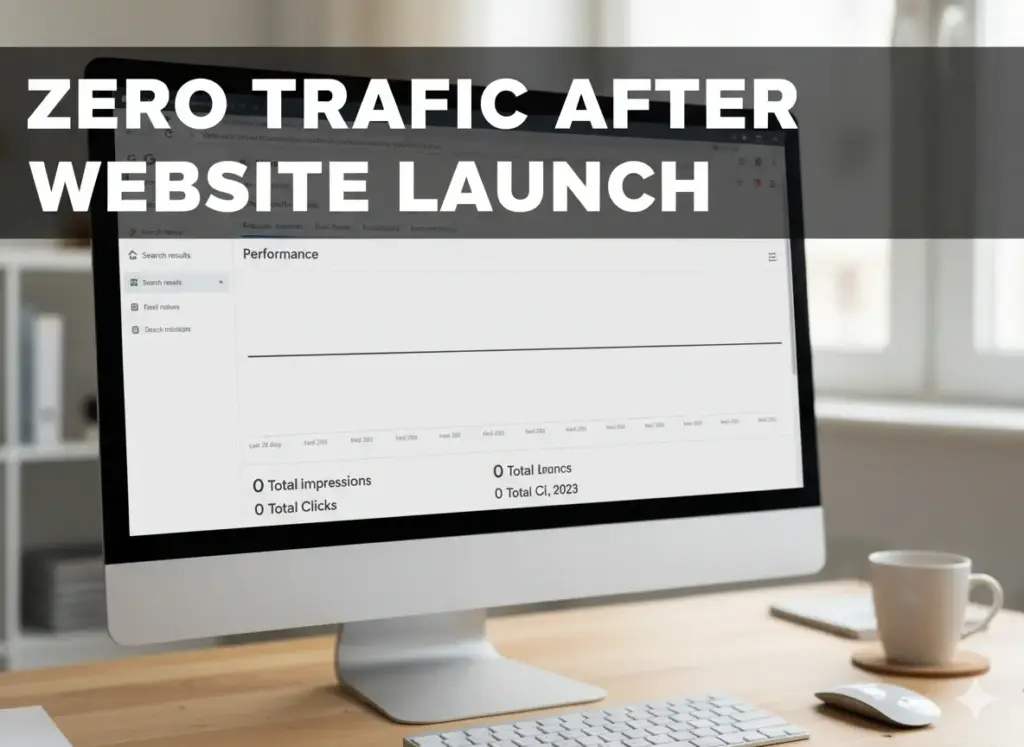
Your website is getting zero traffic after launch. You built it, you published it, and now you are watching a flat line in your analytics. Nothing is moving. You do not know if something is broken, if you did something wrong, or if this is just how it goes.
Before you change anything, before you touch your content, before you panic: read this first.
This guide will walk you through what is actually happening, in the order that actually matters. You will leave with a clear picture of your specific problem and your next action. Not a list of 15 things. Your specific thing.
Table of Contents
1. Stop. Check This Before You Do Anything Else
Here is the thing most people do not know: a large number of website owners who believe they have zero traffic after launch do not actually have zero traffic. They have broken tracking.
Their site has visitors. Google is sending impressions. But the dashboard shows nothing because the analytics code is installed on the wrong domain version, or it is missing from certain pages, or it was never properly verified.
This is the first thing to check. Not keywords. Not content. Not backlinks. This.
The Three Checks That Take Under 5 Minutes
Check 1: Open Google Search Console
Go to Google Search Console. If you have not set it up yet, do it now. It is free and it is the most important tool you have.
Open the Performance tab. You will see one of three things:
- Impressions but no clicks: Google is showing your pages but they are ranked too low to earn clicks. That is a keyword or positioning problem, not a broken site.
- Zero impressions: Google either has not indexed your site yet or something is blocking it. This is where the real diagnosis begins.
- No data at all: Your Search Console is not connected properly or is pointed at the wrong property. Fix this first.
Check 2: Test Whether Google Can See Your Site
Open Google and type this exactly (swap in your real domain):
site:yourdomain.comCount what comes back. If you have 25 pages but only 6 appear, 19 of your pages are invisible to Google. Every hour you spent on those pages is producing nothing.
If zero results appear, your entire site is not indexed. That is always the first problem to solve. Everything else waits.
Check 3: Confirm Your Analytics Code Is Actually There
Open your website in a browser. Right-click anywhere and select View Page Source. Press Ctrl + F on Windows or Cmd + F on Mac. Search for your Google Analytics measurement ID, which starts with G- followed by letters and numbers.
If you cannot find it, the analytics code is not on that page. That is why the dashboard looks empty. You likely have visitors. You just cannot see them.
What I have seen in real work with clients: People spend weeks rewriting content, changing designs, and trying different SEO tactics on a site that is actually getting traffic. The tracking was broken from day one. Fix the measurement before you change anything else. You cannot make good decisions from bad data.
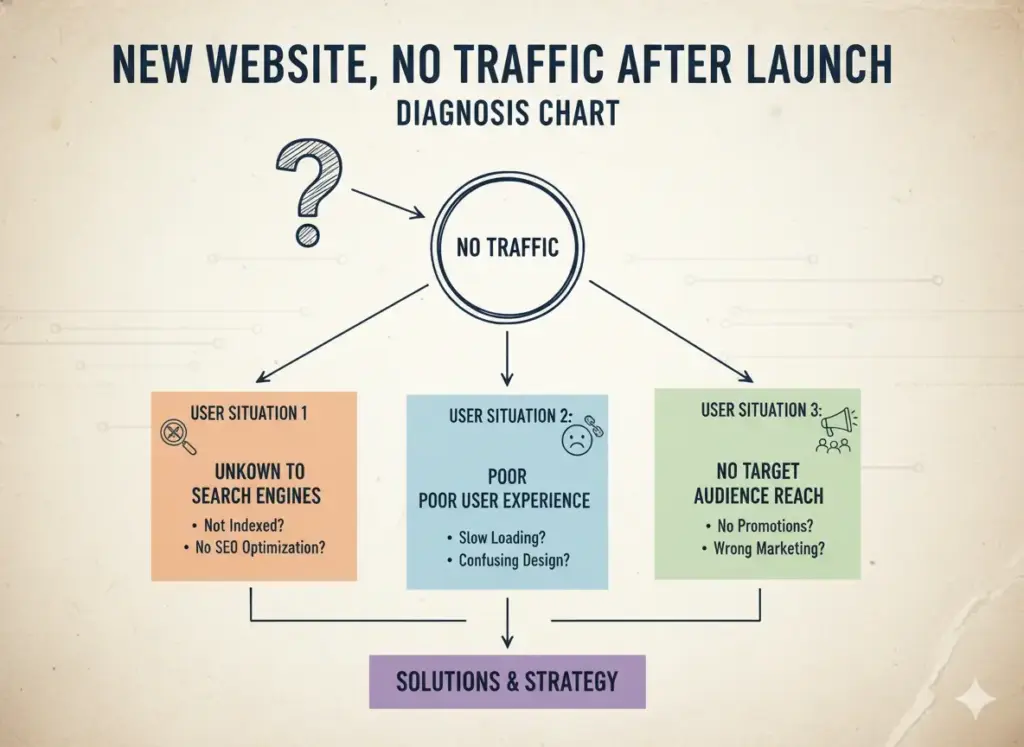
2. Find Your Situation. Your Fix Is Different From Someone Else’s
Zero traffic at day 7 and zero traffic at month 5 are completely different problems. Most articles treat them identically. That is a mistake, and it leads people to fix the wrong thing.
Find your row below.
| Your Situation | What It Usually Means | Go To |
|---|---|---|
| Live 0 to 30 days | Almost certainly normal. Google has not processed your site yet. | Section 3 |
| Live 1 to 3 months, did the basics, still nothing | Something specific is blocking you. Needs real diagnosis. | Section 4 |
| Live 3 months or more, tried things, still flat | Harder problem. Wrong keywords, niche difficulty, or weak differentiation. | Section 5 |
| Had traffic, then it dropped to zero after relaunch | Migration or redesign problem. Different issue. | Section 4 (Indexing) and Platform Checklist |
| Search Console shows impressions but Analytics shows zero | Tracking is broken, not traffic. | Back to Section 1 |
3. You Just Launched: What Zero Traffic Really Means in the First 30 Days
Getting zero traffic in your first two to four weeks is normal. Not a warning sign. Not a mistake you made. Normal.
Here is why.
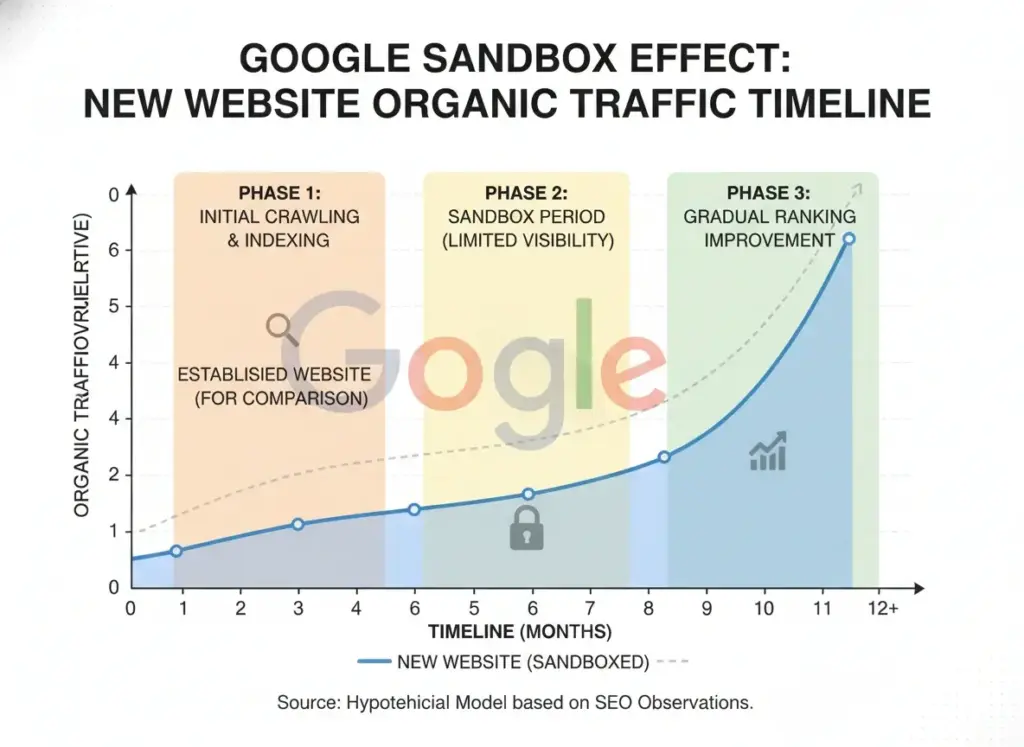
The Google Sandbox: What It Is in Plain Language
When a new domain goes live, Google does not treat it the same as a website it has known for two years. It holds back full ranking trust while it watches whether the site is real, consistent, and genuinely useful.
Think of it as a new employee. On their first week, you do not hand them the important accounts. They prove themselves first. Google applies the same logic to new domains.
The sandbox period typically lasts somewhere between three and eight months. During this time you will see impressions appear before clicks. You will see rankings show up and then disappear. That is not failure. That is Google evaluating you against existing content.
What you do during the sandbox period determines what happens when it ends. Sites that publish consistently, link their pages internally, and earn at least a few legitimate external links come out with momentum. Sites that panic and change their strategy every two weeks stay stuck.
The Platform Settings That Block Google Before You Even Start
This is where most launch guides fail you. Nobody tells you that your website platform may be actively preventing Google from indexing your site by default.
WordPress: The Checkbox That Kills New Sites
During development, WordPress has a setting called “Discourage search engines from indexing this site” under Settings, then Reading. Developers check it on during the build so Google does not crawl an unfinished website. Many forget to turn it off when the site goes live.
Go to Settings, then Reading, right now. If that checkbox is ticked, untick it. This single setting is responsible for more zero-traffic situations than any other technical issue I have seen.
Shopify: The Password Protection Nobody Removes
New Shopify stores are locked behind a password by default. Google cannot see a password-protected store at all. It sees a login page and leaves. Go to Online Store, then Preferences, and disable password protection. If you are still on a free trial, this is also when you need a paid plan before your store becomes publicly accessible.
Wix: Pages Set to Not Be Indexed
Wix lets you control indexing at the individual page level. Many new sites have important pages set to hidden from search results without the owner realizing it. Go through each main page in your Wix dashboard and check the SEO settings panel. Make sure every page you want found is set to indexable.
Webflow: The Staging Subdomain Problem
Webflow builds on a .webflow.io subdomain during development. When you connect a custom domain, you need to explicitly publish to that custom domain inside Project Settings, then Publishing. If you missed this step, Google is indexing your staging subdomain while your real domain sits empty.
Squarespace: Wait Before Concluding Anything
Squarespace sites are generally well set up for indexing from the start. But if you just connected a custom domain, wait 48 to 72 hours before drawing any conclusions. DNS propagation takes time. Checking your analytics every two hours during this window will not speed anything up.
What Is Worth Doing in Month One
Not every action in month one is equally useful. Some things matter now. Others are a waste of time at this stage.
Actions that matter right now:
- Set up Google Search Console and submit your XML sitemap
- Manually request indexing for your five to ten most important pages through the URL Inspection tool
- Make sure every page links to at least two other pages on your site
- Publish one or two pieces of content that answer a specific question your audience actually searches for
- Get your first one or two external links from a business directory, an industry profile, or a community mention
Actions that are a waste of time right now:
- Checking your analytics every day looking for movement
- Rewriting content you published two weeks ago
- Targeting high-volume, competitive keywords
- Buying backlinks from any source
- Redesigning pages based on zero-traffic conclusions
4. You Have Been Live 1 to 3 Months: Run This Diagnosis
If you are past month one and still seeing nothing meaningful, something specific is blocking you. This is the point where patience becomes diagnosis. Run through these four checks in order.
Diagnosis Check 1: How Many Pages Are Actually Indexed?
You know how to do the site: search from Section 1. Do it again and compare the number of results against the number of pages you actually have.
If you have 30 pages and only 8 are indexed, look at what those 8 have in common. Are they older pages? Do they have more internal links pointing at them? Are the 22 missing pages newer, thinner, or do they share a URL pattern that is blocked somewhere?
Inside Google Search Console, the Coverage report shows exactly which pages are indexed and which are excluded. The Excluded tab is where most hidden problems live. Spend time there before doing anything else.
Diagnosis Check 2: Are You Targeting Keywords Anyone Is Searching For?
This is where most new websites fail without realizing it. They publish content about topics that are either too broad and competitive, or too specific with no real search demand. Both look identical from the outside. Both produce zero traffic. The cause and the fix are completely different.
Too broad and competitive means you are writing about topics where every result on page one has been live for years and has hundreds of external sites pointing at it. A three-month-old site cannot beat this through better writing alone. Authority is the gap. Time and consistent external link building close that gap.
Too narrow with no search volume means your page may rank first for its target phrase. But that phrase gets no searches per month. You are ranking in an empty room.
The practical fix is to target long-tail phrases. These are four to seven word queries that describe a specific problem a specific type of person has. New sites can rank for these faster than broad terms, and the traffic that arrives converts at a higher rate because it is precisely matched to what you offer.
To find real long-tail opportunities without a paid tool: open Google, type a phrase related to your topic, and look at the People Also Ask boxes and the Related Searches section at the bottom of the results page. These are real questions real people are typing right now. Write content that answers those questions directly and completely.
Diagnosis Check 3: Do You Have Enough Pages?
If your site has five pages, you have five chances for Google to find you through search. That is not enough to build any momentum.
Ahrefs studied 14 billion pages and found that 96.55% of all pages on the internet get zero organic traffic. The primary reasons are consistent: pages are not indexed, target keywords with no search volume, or have no external references to give Google confidence in them.
Sites that start gaining traction typically have 15 to 25 pages of focused, interconnected content within the same topic area. More pages built around a specific topic give Google a clearer picture of what your site is about. They create more entry points for visitors. And they compound over time in ways that a five-page site simply cannot.
Diagnosis Check 4: Does Anyone Else Link to You?
Here is the uncomfortable truth about backlinks for new sites: without any external references, Google has limited reason to prioritize your content over established sites that cover the same topics and already have a track record.
You do not need hundreds of backlinks to start seeing movement. But you need some.
The most realistic first backlinks for a new website:
- Business directory listings relevant to your industry
- Guest contributions to publications your audience reads
- Genuine participation in communities where your profile links back to your site
- Platform profiles on tools or services common in your industry
- Content that other sites actually want to reference, such as a useful tool, a clear comparison, or original data
One link from a site your audience trusts is worth more than fifty links from low-quality directories. This is not motivational language. It is how link value is actually calculated and transferred.
5. You Have Been Live 3 Months or More and Still Nothing
Three months of consistent publishing with nothing to show for it means one of three specific things. Let us go through each one honestly.
Is the Niche Too Competitive for Where You Are Right Now?
Some topics are owned by sites that have spent years building domain authority, editorial teams, and backlink profiles that a new site cannot match in the near term. Finance, health, legal services, and broad digital marketing are the clearest examples.
If you launched into one of these spaces and aimed for the same keywords as established players, you will not see meaningful organic results anytime soon regardless of content quality. This is not a failure of execution. It is a mismatch between ambition and current authority.
The strategic answer is not to quit. It is to narrow. Find the specific corner of your niche where competition is genuinely thinner. Own that corner first. Build topical authority there. Then expand into harder territory.
Is Your Content Different Enough From What Already Exists?
Google does not evaluate whether your content covers a topic. It evaluates whether your content covers it better or differently than what already ranks.
If your article on a topic walks through the same points in the same order as the top five results, there is no functional reason for Google to surface yours over content that is already indexed, trusted, and earning engagement. You have created a duplicate in substance if not in words.
Before publishing anything, ask this one question honestly: would a person who already read the top three articles on this topic find something in yours they did not already get? If the answer is no, the article needs a different angle, deeper specifics, or first-hand experience the existing content lacks.
The Canonical Misconfiguration That Silently Kills Sites
This is a technical problem that destroys new sites for months and almost never gets diagnosed without a proper audit.
If your website loads at both www.yourdomain.com and yourdomain.com without a 301 redirect from one version to the other, Google may be dividing its evaluation between two versions of the same site. It treats them as potentially separate entities. Your authority signals split in half. Rankings never fully materialize for either version.
Check this right now: open both versions of your URL in a browser. If both load without one immediately redirecting to the other, this needs to be fixed at the hosting level or through your platform’s SEO settings. Every major platform supports this fix. It takes under ten minutes once you know the issue exists.
6. The 2026 Search Reality Nobody Told You When You Launched
Almost every zero-traffic article out there was written before the search landscape shifted. Most of the advice is still valid. But there is a layer of context that is missing from everything you have probably read.
Launching a website in 2026 is not the same as launching one in 2020.
AI Overviews now appear in more than 13% of U.S. desktop searches and grew by 102% in just the first two months of 2025. Research across multiple datasets shows that only around 360 out of every 1,000 searches result in a click to any website. The rest end inside Google’s own properties.
What this means for you specifically is not abstract. It is practical.
Some Queries Are Not Worth Targeting for a New Site
If a user searches “what is keyword research” in 2026, Google answers it directly with an AI-generated summary. Nobody needs to click. Building content around purely informational queries where the complete answer fits in two sentences is an increasingly slow road for new sites.
This does not mean informational content is dead. It means the type of informational content that still earns clicks has changed. Generic explanations of known concepts get absorbed into AI summaries. Content built around real experience, specific processes that require multiple steps, genuine comparisons, and original positions that cannot be generated from existing sources still drives clicks.
What Is Actually Worth Targeting Right Now
These types of queries still consistently earn clicks in 2026:
- Queries that require a recommendation based on personal context: “which option should I choose if my situation is X”
- Queries that require lived specifics: “what actually happened when someone tried this”
- Queries with genuine complexity: step-by-step processes where missing one step breaks the outcome
- Comparison queries that require nuanced judgment between two specific options
Building Visibility Beyond the Traditional Blue Links
AI-generated answers increasingly cite specific sources. Appearing as one of those cited sources is now as valuable as ranking in traditional positions. This happens when your content is written by an identifiable expert, takes a clear position backed by reasoning, cites credible data with sources, and is structured clearly enough for a machine to extract and attribute your specific insight.
This is what is now called Generative Engine Optimization (GEO). The content principles are the same as strong E-E-A-T writing: real experience, demonstrated expertise, verifiable authority, and trustworthiness.
7. What Traffic Growth Actually Looks Like Month by Month
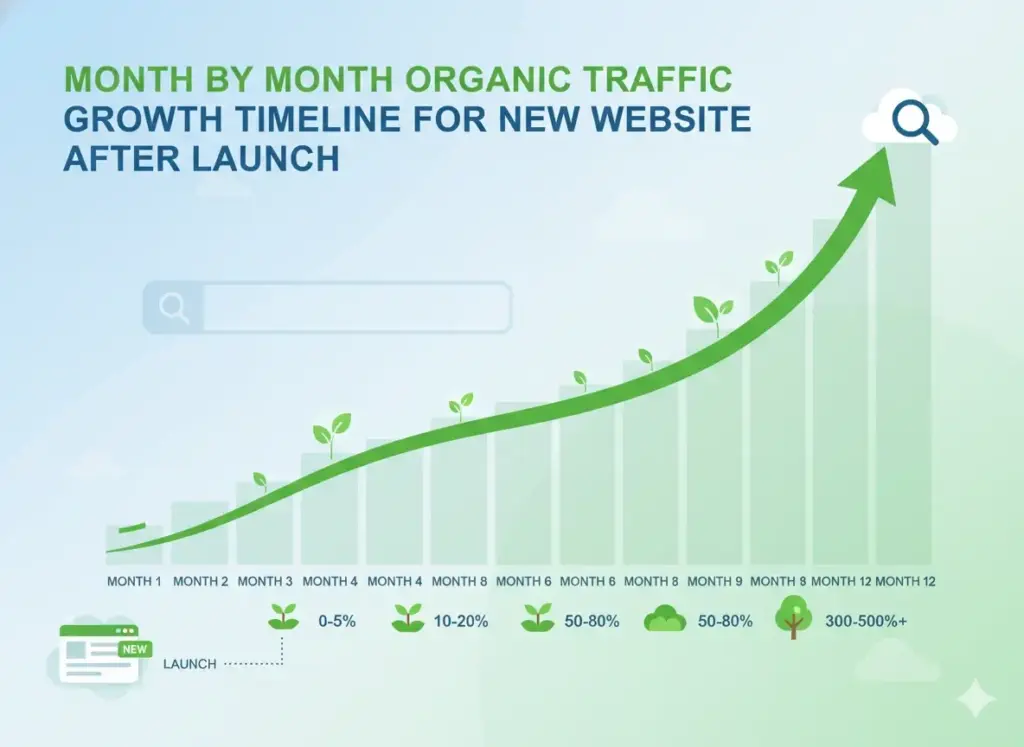
One of the main reasons people give up too early is that they have no calibration for what normal looks like. They check their analytics daily, see small numbers, and interpret small numbers as failure. Most of the time, small numbers in month two are exactly on track.
Here is an honest picture.
Month 1: You Are Looking for Impressions, Not Traffic
Your first sign of life is impressions in Search Console. Google is showing your pages in results, but they are ranked too low for most people to click. Impressions at month one mean your content is indexed and being evaluated.
Realistic numbers to expect: 50 to 500 impressions, 0 to 10 clicks. Any clicks at this stage are a bonus, not a baseline.
Month 2 to 3: First Rankings Begin to Appear
Long-tail keyword rankings start to show up, typically between positions 15 and 40. Page two and three of results. Rankings may appear, disappear, and return. That is Google stress-testing your content against competitors. Monthly clicks may reach somewhere between 10 and 100.
This is not a plateau. This is the engine warming up.
Month 4 to 6: Compounding Begins
If you have been publishing consistently and building even a small number of legitimate external references, this is when things start to feel different. Rankings stabilize. New pages rank faster than early pages did. Monthly traffic starts reaching a few hundred visits. Content you published in month one starts climbing.
Realistic range: 500 to 5,000 clicks per month, depending heavily on niche difficulty and consistency.
Month 6 to 12: The Investment Becomes Visible
Sites that did the foundational work in months one through six typically see significant acceleration in months seven through twelve. New content earns rankings within days instead of months. Google’s trust in your topical area is established. You start ranking for keywords you did not specifically optimize for. This is when the compound effect becomes something you can feel.
The most common mistake in all of SEO is stopping at month two or three because the numbers feel too small to matter. The people who stop at month two never see month six. Month twelve never happens for them.
8. Your 90-Day Fix Plan, in the Order That Matters
Most guides give you fifteen things to do with no sense of which matters first. That is not useful when your time is limited. Here is a prioritized plan built around actual impact order.
Week 1: Fix What You Cannot Measure From
- Verify your analytics tracking code is live on every page using the View Source method from Section 1
- Set up or verify Google Search Console and confirm your property is connected to the right domain
- Run the site:yourdomain.com check and record how many pages are indexed versus how many you have
- Fix any platform-specific indexing blockers from the Platform Checklist below
- Submit your sitemap through Search Console
Nothing else should happen until these are done. You are flying blind without measurement. Every decision made before this is guesswork.
Weeks 2 to 4: Build the Architecture
- Choose one specific corner of your topic area, not a broad niche
- Create or improve five to seven pages that each answer a specific question within that topic
- Link those pages to each other naturally inside the content
- Make your homepage clear: a visitor should understand who you help, what you do, and what to do next within five seconds of arriving
Month 2: Build a Publishing Habit
- Publish one to two focused pieces of content per week
- Find your topics using the People Also Ask boxes in Google for your niche
- Write for the person reading, not for a word count target
- Answer the question directly in the first two paragraphs, then go deeper for readers who want more
Month 2 to 3: Earn Your First External Signals
- Build three to five legitimate external links through the methods described in Section 4
- Even a small number of quality links changes how Google evaluates your domain’s legitimacy
- Focus on relevance over volume: one link from a site your audience actually uses is worth more than twenty from random directories
Month 3 Onward: Measure, Learn, and Adjust
- Look at what is gaining impressions in Search Console: this tells you what Google thinks your site is about
- Update any pages ranking between positions 11 and 30 with more depth, better examples, or a more specific answer
- Look at click-through rates on ranked pages: low CTR at a good position means your title or description needs to be more compelling
9. Platform Checklist: WordPress, Shopify, Wix, Webflow, Squarespace
| Platform | Most Common Issue After Launch | Where to Fix It |
|---|---|---|
| WordPress | “Discourage search engines from indexing this site” is checked on | Settings, then Reading |
| WordPress | No SEO plugin installed or configured | Install Rank Math or Yoast SEO |
| WordPress | Both www and non-www versions load without redirect | Hosting settings or .htaccess file |
| Shopify | Password protection is still active | Online Store, then Preferences |
| Shopify | Blog not linked in main navigation menu | Online Store, then Navigation |
| Shopify | SEO title and description missing on product pages | Each product, then SEO section at bottom |
| Wix | Individual pages set to “not indexed” in SEO panel | SEO Settings on each page individually |
| Wix | Sitemap not submitted to Google Search Console | Search Console, then Sitemaps section |
| Webflow | Site published to .webflow.io staging, not custom domain | Project Settings, then Publishing |
| Webflow | No redirects set from old URLs after structural changes | Hosting tab, then Redirects |
| Squarespace | Custom domain not fully propagated after connection | Wait 48 to 72 hours after connecting |
| Squarespace | SSL certificate not yet active on custom domain | Domains section, then SSL status |
| All Platforms | Both www and non-www load without one redirecting | Hosting settings or platform domain panel |
| All Platforms | Google Analytics not verified against correct custom domain | GA4, then Data Streams, then verify tag |
| All Platforms | robots.txt is blocking important pages accidentally | Visit yourdomain.com/robots.txt directly |
| All Platforms | Canonical tag points to wrong URL version | SEO plugin settings or page-level settings |
Frequently Asked Questions
Is it normal to have zero traffic in the first month after launching a website?
Yes. It is completely normal. Most new websites see near-zero traffic for the first four to eight weeks. Google needs time to crawl, evaluate, and begin assigning rankings to new content. Zero traffic in month one is not evidence of a problem, as long as your site is indexed and you are publishing consistently.
Why is my website indexed on Google but still getting no traffic?
Being indexed means Google knows your site exists. It does not mean Google is ranking your pages for any searches people are running. Traffic comes from rankings, not from indexing alone. If you are indexed but getting nothing, the most likely causes are: targeting keywords too competitive for your current authority level, targeting keywords with no real search volume, or having content that does not closely match what people are actually searching for.
How do I check if Google has indexed my website?
Type site:yourdomain.com directly into Google. Every result that appears is an indexed page. If nothing comes back, your site is not indexed and you need to investigate. The most common causes are a noindex tag on your pages, a blocking rule in your robots.txt file, or simply that the site is new and has not been crawled yet.
What is the Google sandbox and does it affect new websites?
The Google sandbox refers to a well-documented period during which new domains receive limited ranking trust while Google evaluates whether the site is real, consistent, and useful. Google does not officially confirm this mechanism by name, but SEO practitioners have observed it consistently across thousands of new domains. For practical purposes, plan for your first three months to show limited organic reach regardless of content quality, and build during this period rather than judge results from it.
Why does my competitor’s new website already rank when mine does not?
Several possible reasons. Their domain may not be as new as it appears: older domains that were repurchased or repurposed carry existing authority. They may have an existing audience driving direct traffic and engagement signals. They may have built external links faster. They may be targeting different keywords with lower competition. Or they may simply have had their site crawled earlier. Watching a competitor rarely gives you useful data. Track your own month-over-month progress instead.
My Search Console shows impressions but Google Analytics shows zero. What is happening?
Your Analytics tracking code is either missing from certain pages, installed incorrectly, or pointed at a different property than the one receiving traffic. Open your website, view the page source, and search for your GA4 measurement ID. If it is not there, the code is not firing on that page. Fix the installation and re-verify inside GA4, then Data Streams.
How long does it actually take for a new website to get real traffic?
For a new site in a moderate-competition niche, publishing consistently and handling the technical fundamentals correctly, most sites begin seeing meaningful organic traffic between month four and month eight. That is the real timeline from direct observation. Anyone promising significant organic results in 30 days is either working with a very loose definition of results or is not being honest with you.
Should I pay for ads while I wait for organic traffic to grow?
Paid ads from Google Ads or social platforms can generate visits immediately. But paid traffic does not build organic authority. When you stop paying, the traffic stops. Use paid traffic to confirm that your offer converts before committing further to organic content. Do not use it as a substitute for building organic. They serve different purposes and have completely different long-term economics.
What is the single most useful thing I can do this week?
Confirm your tracking is working correctly. Confirm your site is indexed. Then publish one piece of content that answers a specific question your audience is actually searching for, specific enough that the current top results do not answer it completely. Every other action is secondary to those three.
Why do 96.55 percent of web pages get zero organic traffic?
This figure comes from an Ahrefs analysis of 14 billion pages. The primary reasons are consistent across all the pages in that study: they are not properly indexed, they target keywords with no search volume, or they have no external links to give search engines confidence in them. The number is sobering. It also means that handling the basics correctly places you ahead of the overwhelming majority of pages on the internet. That is where real work begins.
What does zero-click search mean for a new website owner in 2026?
Zero-click search means a user searches for something, gets an answer directly inside Google’s results page, and never visits any website. Research shows this happens in roughly 64% of searches. For new website owners, this means that purely informational queries with simple answers are increasingly hard to get traffic from regardless of ranking. The content strategy that works in 2026 targets queries that require context, experience, or decision-making that AI summaries cannot fully replace.
What to Do Right Now
You have just read through the most specific, honest diagnosis of zero-traffic-after-launch that I know how to write. You understand what the sandbox period is and what to do during it. You know which platform settings to check. You have a clear picture of what real growth looks like month by month. And you know which of the three main situations applies to you.
Most people will read something like this and then wait two weeks before acting. Do not do that.
The next move is simple. Go through the three checks in Section 1. Identify which situation from Section 2 applies to you. Execute the first three items in the fix plan for your situation. Not all fifteen. The first three.
If you want someone to look at your actual site, your actual keywords, and your actual current situation, and tell you specifically what is blocking you and exactly what to fix first: that is the work I do.
No generic audit report. No dashboard with 200 numbers. A direct diagnosis and a clear priority list built around your specific situation.
Ready to Stop Guessing?
I work with websites at exactly this stage. The gap between launched and growing is where I operate.
See how I can help you at ajitkumargupta.com
About the Author
Ajitkumar Gupta is an SEO strategist and digital marketing specialist focused on how organic search, content systems, and online income actually work together. He has worked directly with websites at every stage of growth, including diagnosing and fixing each of the problems covered in this article in real client work. His focus is on building something durable online, not chasing shortcuts that stop working.
Website: ajitkumargupta.com