
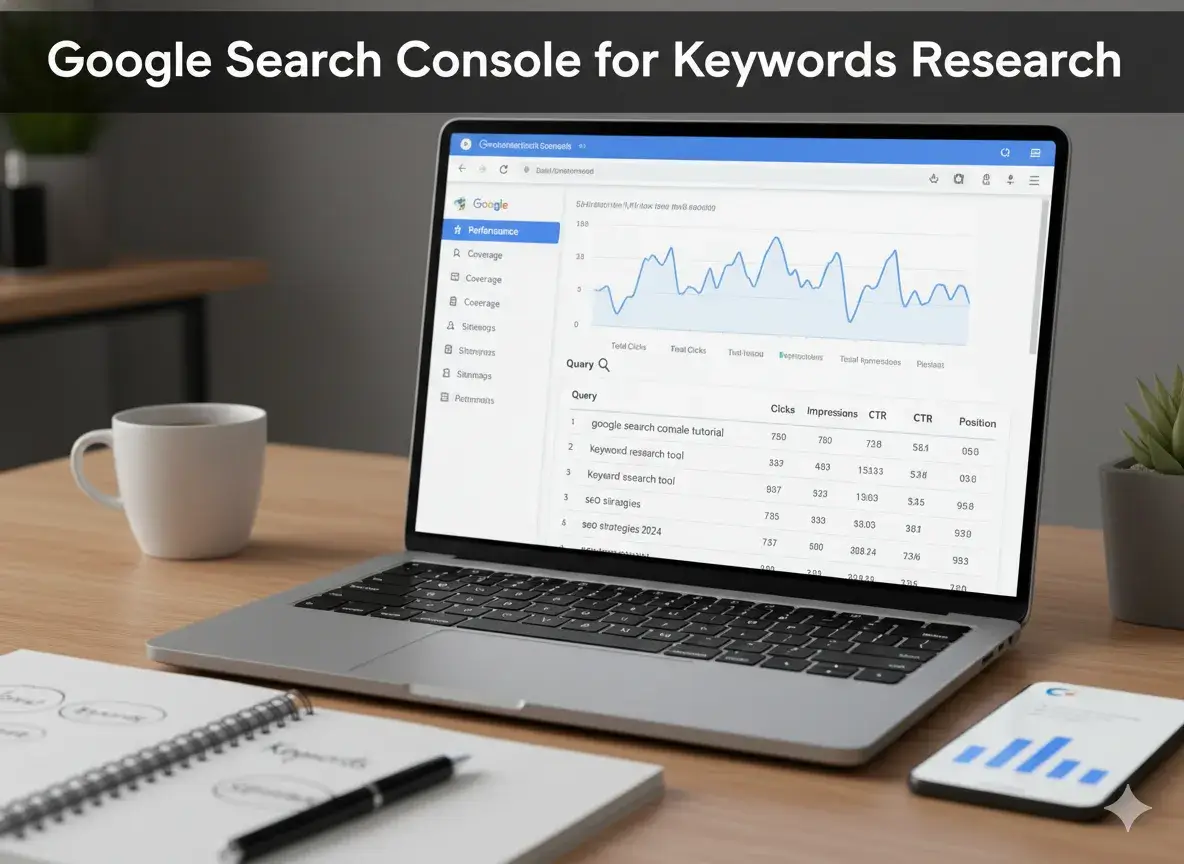
Quick Answer: Google Search Console provides the most accurate keyword data available for your specific website because numbers come directly from Google, not from third-party estimates. The 6 most valuable keyword tactics in Search Console are: mining position 8 to 25 queries for fast ranking wins, discovering secondary keywords your pages never targeted, diagnosing CTR problems on high-impression pages, finding seasonal keyword trends, detecting keyword cannibalization, and combining Search Console data with competitor gap analysis for the most complete opportunity picture available.
Table of Contents
Why Google Search Console Beats Every Paid Keyword Tool for Your Own Site
Third-party keyword tools like Ahrefs, SEMrush, and Ubersuggest are invaluable for competitive research. But for understanding what is happening on your own site inside Google’s index, they are all estimates. Google Search Console is measurement.
When Ahrefs reports that your page ranks in position 7 for a keyword, it is sampling data from its own crawler and inferring your position. When Google Search Console reports that your page appeared in position 7.3 for that keyword 847 times last month, that number is exact. It comes from Google’s own logs of every search result impression your page received.
This precision creates three advantages no paid tool can replicate.
Secondary keyword discovery at full precision. Search Console shows every query your pages receive impressions for, including dozens of secondary keywords you never deliberately targeted. No third-party tool captures this data with the same completeness because they do not have access to Google’s full impression log for your site.
CTR problem diagnosis. You can identify pages receiving high impressions but generating few clicks, revealing title tag and meta description failures that no ranking tracker exposes.
Trend data at query level. You can see whether individual keyword impressions are growing, stable, or declining over custom date ranges, revealing seasonal patterns and opportunity windows before they appear in any external tool.
Google Search Console for keyword research is not a substitute for paid tools. It is a complementary layer that provides data those tools fundamentally cannot access.
Setting Up: How to Access Keyword Data
Step 1: Log in to Google Search Console at search.google.com/search-console. Select your verified property from the dropdown.
Step 2: Click “Performance” in the left navigation, then “Search Results.”
Step 3: The default view shows Total Clicks and Total Impressions. Click the toggle buttons to also enable “Average CTR” and “Average Position.” All four metrics should now be visible.
Step 4: The default date range is 28 days. For most keyword research purposes, change this to the last 3 months. This provides a more representative picture of your keyword performance across typical traffic patterns.
Step 5: Familiarize yourself with the two primary tabs in the report:
- Queries tab: Shows performance by keyword. This is your primary keyword research view.
- Pages tab: Shows performance by URL. Essential for understanding which pages drive which keywords.
Step 6: Enable the “Search type” filter if you want to isolate data by device (mobile vs desktop) or search type (web, image, video). For most keyword research purposes, keep “Web” as the filter.
You are now in the core keyword data interface. Everything below uses this setup as the starting point.
Tactic 1: The Position 8 to 25 Goldmine – Your Fastest Ranking Wins
This is the single most valuable and most underused keyword tactic in all of SEO. It requires no new content, no backlinks, and no tool subscriptions. It works on content you have already published.
The logic: Any keyword where your page currently ranks between positions 8 and 25 means Google is already showing your page to searchers. You have cleared the relevance threshold. You just have not yet earned the top positions. A focused content improvement often moves a position 18 keyword to position 6 within 4 to 8 weeks.
The impact difference: A page ranking at position 18 receives approximately 0.8% of the clicks for that query. The same page at position 5 receives approximately 6.3% of clicks. For a keyword with 500 monthly searches, that is the difference between 4 monthly visitors and 32 monthly visitors from one targeted optimization of one existing page.
The complete implementation process:
Step 1: In the Search Results performance report, click the “Queries” tab.
Step 2: Click “Average Position” in the metric bar to add position data to the table below.
Step 3: Click the “Average Position” column header to sort by position, with lowest positions (closest to position 1) at the top.
Step 4: Scroll past keywords where you already rank in positions 1 to 7. Focus on the range from position 8 to 25.
Step 5: For each high-impression keyword in this range, note the query and click on it.
Step 6: After selecting the query, click the “Pages” tab to see which specific URL on your site is ranking for it.
Step 7: Open that URL and conduct a targeted content audit:
- Does the page have a dedicated section or subheading specifically addressing this query?
- Is the keyword phrase present in at least one H2 or H3 heading?
- Does the first paragraph or introduction address this query directly?
- Is the content on this topic as comprehensive as the top 3 results for this keyword?
Step 8: For every gap you identify, add the missing content. Add a dedicated subheading. Expand a shallow section. Add examples, data, or a practical framework the existing content lacks.
Step 9: Submit the updated URL for re-indexing using the URL Inspection tool in Search Console.
Expected timeline: Well-executed position 8 to 25 optimizations typically show measurable ranking improvements within 4 to 8 weeks of re-indexing.
Scale of opportunity: Most sites with 20 or more published pages have 30 to 80 keywords in this position range. Each one is a fast-ranking win available without creating new content.
Tactic 2: Discover Secondary Keywords Your Pages Already Earn Impressions For
Every page on your site is receiving impressions for queries you never targeted. Some of these represent genuine ranking opportunities one optimization step away. Others reveal what your audience actually searches for, which is often more valuable than any keyword tool’s suggestion list.
The implementation process:
Step 1: In the Performance report, click the “Pages” tab.
Step 2: Click on any individual page URL you want to investigate.
Step 3: Click the “Queries” tab to see every keyword generating impressions specifically for that page.
Step 4: Sort by Impressions descending. Scroll past your primary target keyword.
Step 5: Look for secondary queries that represent real user needs you have not specifically addressed in that page’s content.
Step 6: For each high-impression secondary keyword ranking between position 8 and 30, evaluate:
- Does the current page have a section specifically addressing this secondary query?
- Is this secondary keyword related enough to the page’s primary topic that addressing it belongs on this page?
- Or does this secondary keyword represent a distinct enough need that it warrants its own dedicated page?
Step 7: For secondary keywords that belong on the current page, add focused content sections addressing them specifically. For secondary keywords representing distinct user needs, add them to your publishing plan as new cluster page topics.
The discovery value beyond optimization: Reading the full secondary keyword list for any page reveals what your audience is actually searching when they land on that page. This intelligence often produces better seed keywords for future research than any tool-generated suggestion list, because it reflects real user language on your specific topic.
Tactic 3: Fix High-Impression, Low-CTR Pages to Multiply Clicks Instantly
A page with high impressions but a below-benchmark click-through rate is leaving traffic on the table every day. Google is showing your page in results. Users are seeing it and choosing not to click. The ranking is not the problem. The presentation is.
This is a CTR problem, not a ranking problem. And it is one of the fastest performance improvements available because fixing the title tag and meta description requires no ranking improvement and no content rewriting.
CTR benchmarks by position (approximate):
| Ranking Position | Expected CTR Range |
|---|---|
| Position 1 | 25% to 35% |
| Position 2 | 12% to 18% |
| Position 3 | 8% to 12% |
| Position 4 to 5 | 5% to 8% |
| Position 6 to 10 | 2% to 5% |
The CTR audit process:
Step 1: In the Pages tab of the Performance report, add CTR and Average Position to your visible metrics.
Step 2: Sort by Impressions descending to find your highest-visibility pages.
Step 3: For each high-impression page, compare its CTR to the benchmark for its average position.
Step 4: Pages with CTR significantly below benchmark for their position are your CTR problem candidates.
Step 5: Visit the SERP for the primary keyword of each underperforming page. Read your title tag and meta description as a user would. Then read the title tags of the pages outperforming yours in CTR.
Ask these diagnostic questions:
- Does your title contain a specific, compelling benefit or promise?
- Does your title include a number, power word, or specificity that competitors’ titles lack?
- Does your meta description create genuine curiosity or articulate a clear value the user will get from clicking?
- Does your title match the exact intent a user searching this keyword has?
Step 6: Rewrite the title tag and meta description to be more specific, more benefit-driven, and more clearly aligned with the user’s goal.
Step 7: Submit for re-indexing and monitor CTR change over the following 3 to 4 weeks.
Expected impact: A CTR improvement from 3% to 5% on a page receiving 2,000 monthly impressions at position 5 means 40 additional monthly clicks from zero new content, zero new links, and zero ranking improvement.
Tactic 4: Use the Comparison View to Find Rising and Falling Keywords
The comparison view in Search Console separates keyword trends from snapshots. It is the difference between knowing what your keywords are doing and knowing where they are going.
Why trends matter more than current numbers: A keyword currently generating 200 monthly impressions means very different things depending on whether that number has grown from 50 impressions three months ago or fallen from 800. Trend direction tells you whether to invest in that keyword or pivot away from it.
The implementation process:
Step 1: In the Performance report, click “Date” and select “Compare.”
Step 2: Choose “Compare last 3 months vs previous 3 months.” This provides a statistically meaningful period comparison that smooths out week-to-week noise.
Step 3: The report now shows the change in clicks and impressions for each keyword between the two periods.
Step 4: Sort by “Impressions Difference” descending to find your fastest-rising queries.
Step 5: Sort by “Impressions Difference” ascending to find your fastest-declining queries.
For rapidly rising queries: These are topics gaining momentum in your niche. Rising impressions before significant ranking improvements means Google is beginning to show your existing content for these queries more frequently. Two things to do: optimize existing pages for these rising queries using the position 8 to 25 process, and create new cluster content targeting the rising topic if your coverage is thin.
For rapidly declining queries: These are topics where your rankings are eroding. Possible causes include better competitor content, content freshness decay, or a topic shift in what users are searching. Study the pages now ranking for your declining keywords. What do they have that your content lacks? Update your content to close that gap before rankings fall further.
Tactic 5: Uncover Seasonal Keyword Patterns Before Competitors Do
Setting the Search Console date range to the last 12 months reveals seasonal demand patterns that allow you to time content publishing for maximum impact. This is intelligence no third-party tool can replicate with the same precision for your specific keyword portfolio.
The 12-month seasonal analysis process:
Step 1: In the Performance report, set the date range to the last 12 months.
Step 2: Click on any specific keyword in the Queries tab to see its monthly impression trend across the full 12-month view.
Step 3: Look for clear seasonal patterns: months where impressions spike and months where they consistently drop.
Step 4: Document seasonal patterns for your top 20 to 30 most important keywords.
The publishing timing advantage: Content must be indexed and beginning to rank before peak demand arrives. For a keyword that consistently peaks in October and November, the ideal publishing or major refresh date is August or September. This gives Google 8 to 12 weeks to index, evaluate, and begin ranking your content before demand peaks.
Publishing seasonal content at the peak means ranking it after the peak has passed. You collect minimal traffic in year one and full traffic only in year two. Publishing two to three months before the peak captures traffic in year one.
Seasonal vs evergreen strategic split: After analyzing your keyword portfolio by seasonality, classify each target keyword:
- Consistently high all-year: Publish any time. Prioritize based on difficulty and volume.
- Clear seasonal peaks: Schedule publication and refresh dates to precede the peak by 8 to 12 weeks.
- Declining overall trend: Flag for investigation. A keyword declining in impressions across 12 months may represent a topic losing audience interest. Proceed with caution on new content investment.
Tactic 6: Detect Keyword Cannibalization Through the Pages Tab
Keyword cannibalization occurs when two pages on your site compete for the same query. Search Console provides the most direct and accurate method for detecting it because the data comes from Google’s actual impression records, not from inferred rankings.
The detection process:
Step 1: In the Queries tab, identify any keyword where you suspect multiple pages may be competing.
Step 2: Click on that keyword to filter the view to that specific query.
Step 3: Click the “Pages” tab while that query is selected.
Step 4: If two or more URLs from your site appear receiving impressions for the same query, you have confirmed cannibalization.
Step 5: Note which page receives more impressions and has a higher average position. This is your canonical page for this keyword. The other pages are competing against it.
The position volatility signal: Even without running the Pages tab check on specific keywords, the Queries tab reveals likely cannibalization through a behavioral signal. Keywords where average position fluctuates significantly from week to week in the comparison view, without obvious seasonal reasons, often reflect Google switching its preference between two competing pages from your site. That volatility is a diagnostic indicator worth investigating through the Pages tab check above.
For the complete methodology to fix cannibalization once detected, including consolidation, re-optimization, and canonical tag approaches, read How to Fix Keyword Cannibalization: 3 Proven Methods to Recover Lost Rankings in 2026.
How to Combine Search Console With Competitor Gap Analysis
Search Console tells you what is happening on your site. Competitor gap analysis tells you what is happening on competitor sites. Combining both gives you the most complete and highest-confidence keyword opportunity picture available.
The combined workflow:
Step 1: Run a competitor keyword gap analysis using Ahrefs Content Gap or SEMrush Keyword Gap. Generate your filtered list of gap keywords (keywords where competitors rank but you do not).
Step 2: For each gap keyword on your filtered list, open the Queries tab in Search Console and search for that keyword.
Step 3: Check whether your site already receives any impressions for that gap keyword at all, even at positions 20 to 50.
Step 4: For gap keywords where you already receive impressions, the most efficient path is optimizing the existing page that holds those impressions, not creating new content. Your page already has partial relevance in Google’s model. Strengthening it capitalizes on existing authority rather than starting from zero.
Step 5: For gap keywords where Search Console shows zero impressions, new content creation is the appropriate response. Your site has no foothold whatsoever for these queries.
This combined approach consistently reveals that 20 to 40% of competitor gap keywords are actually secondary keyword opportunities for your existing pages. Addressing these through page optimization, rather than new content, produces results faster and reduces publishing workload significantly.
For the complete gap analysis methodology, read Keyword Gap Analysis: 5 Powerful Steps to Capture Your Competitor’s Best Rankings in 2026.
Your Monthly Search Console Keyword Review Workflow
Consistency converts Search Console from a tool you check occasionally into a systematic competitive intelligence operation. This monthly workflow takes 45 to 60 minutes and surfaces the highest-value keyword opportunities available each month.
Week 1 of each month: Position 8 to 25 optimization review
Filter for all queries with average position between 8 and 25 in the last 30 days. Identify the top 10 by impression volume. For each, check whether an optimization exists and queue it for the current month’s content improvement work.
Week 2: CTR audit
Filter the Pages tab for pages with above-average impressions but below-benchmark CTR for their position. Rewrite title tags and meta descriptions for the top 5 underperforming pages.
Week 3: Trend analysis
Run the 3-month vs prior 3-month comparison. Identify the top 10 rising queries and the top 10 declining queries. For rising queries, schedule content reinforcement. For declining queries, schedule content audits.
Week 4: Secondary keyword discovery
Review the full query list for your top 5 traffic-driving pages. Identify secondary keywords ranking in positions 10 to 30 that have not been specifically optimized for. Add the top 3 per page to your optimization queue.
This workflow ensures every meaningful Search Console keyword signal receives attention monthly rather than being missed in periodic, ad-hoc reviews.
For the complete tactical playbook for growing organic keywords using these and additional on-page methods, read How to Increase Organic Keywords Without Backlinks: 7 Powerful Tactics for 2026.
Frequently Asked Questions
What is Google Search Console used for in keyword research?
Google Search Console is used for keyword research in five primary ways: discovering which queries your pages already rank for (including secondary keywords you never targeted), finding position 8 to 25 keywords that are close to page one, identifying pages with high impressions but low click-through rates, detecting seasonal keyword trends, and confirming keyword cannibalization when multiple pages compete for the same query.
How do I find keywords in Google Search Console?
To find keywords in Google Search Console, go to Performance, then Search Results. Click the Queries tab to see all keywords generating impressions for your site. Filter by date range, average position, and search type to focus on specific keyword opportunities. Click on any individual keyword to see which pages are ranking for it and their performance metrics.
What is a good click-through rate in Google Search Console?
Expected CTR varies by ranking position. Position 1 typically achieves 25% to 35% CTR. Position 3 typically achieves 8% to 12%. Position 5 to 6 typically achieves 4% to 7%. Pages with CTR significantly below these benchmarks for their position have title tag or meta description problems that are limiting clicks despite competitive ranking positions.
Why does Google Search Console show different data than Ahrefs or SEMrush?
Google Search Console shows exact, measured data from Google’s own index of your site’s performance. Ahrefs and SEMrush estimate your ranking data by crawling search results and sampling data from their own browser extension networks. The two data sources measure different things and will always differ. For your own site’s performance, Search Console data is authoritative. For competitor research and keyword discovery, Ahrefs and SEMrush provide data that Search Console cannot.
How far back does Google Search Console keyword data go?
Google Search Console retains performance data for 16 months. You can set any custom date range within that 16-month window. For seasonal trend analysis, setting the range to 12 months is typically most useful. For trend comparisons, the 3-month vs prior 3-month comparison captures meaningful trend direction without excessive noise from individual week fluctuations.
Can Google Search Console detect keyword cannibalization?
Yes. To detect cannibalization, click on a specific query in the Queries tab, then switch to the Pages tab. If two or more URLs from your site appear receiving impressions for the same query, those pages are cannibalizing each other. You can also identify likely cannibalization through erratic position fluctuations in the comparison view, which often indicate Google alternating between two competing pages.
Key Takeaways
Google Search Console provides more accurate keyword data for your own site than any paid tool. The numbers come directly from Google’s index, not from third-party estimates.
The position 8 to 25 range is your highest-value optimization opportunity. Google is already showing your pages for these queries. One targeted content improvement often produces measurable ranking gains within 4 to 8 weeks without new content or links.
Secondary keyword discovery reveals what your audience actually searches. The queries your pages rank for unexpectedly are often more strategically valuable than tool-generated suggestions.
CTR problems require presentation fixes, not ranking fixes. High-impression, low-CTR pages need better title tags and meta descriptions, not better content or more links.
Seasonal trends visible in 12-month data allow precise content timing. Publishing 8 to 12 weeks before peak demand captures first-year traffic that post-peak publishing misses entirely.
Combining Search Console with competitor gap analysis reveals that a significant portion of gap keywords are already represented in your existing pages, enabling optimization rather than new content creation.
Go deeper into the complete keyword selection framework: How to Choose Keywords for SEO: The Only Complete System You Will Ever Need in 2026